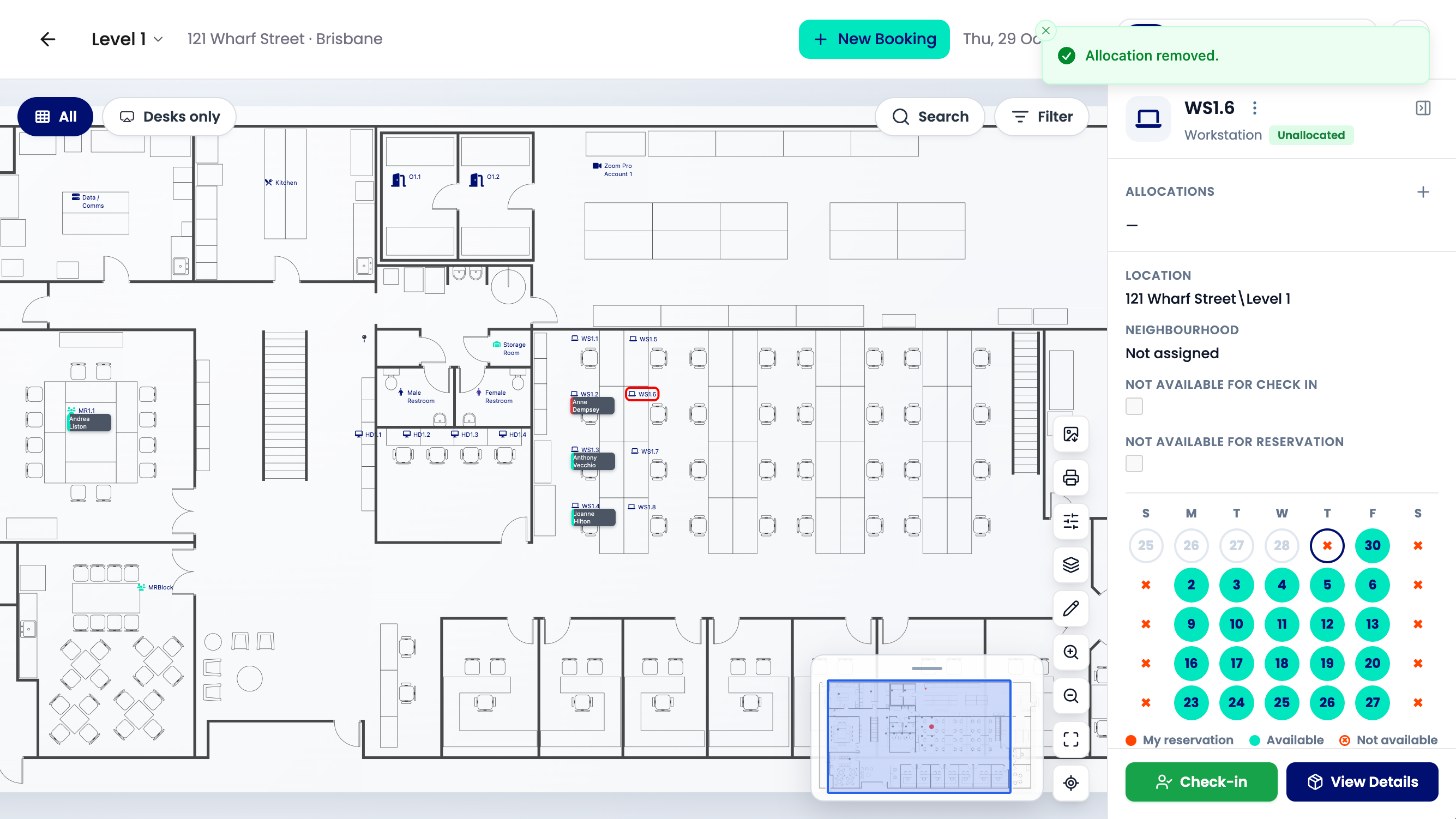
Need to free up a desk that someone else has booked? This article shows you how to cancel another person's booking from the floorplan, so the desk is available again straight away.
Cancel the booking
-
Open the level’s floorplan and click the person’s desk.
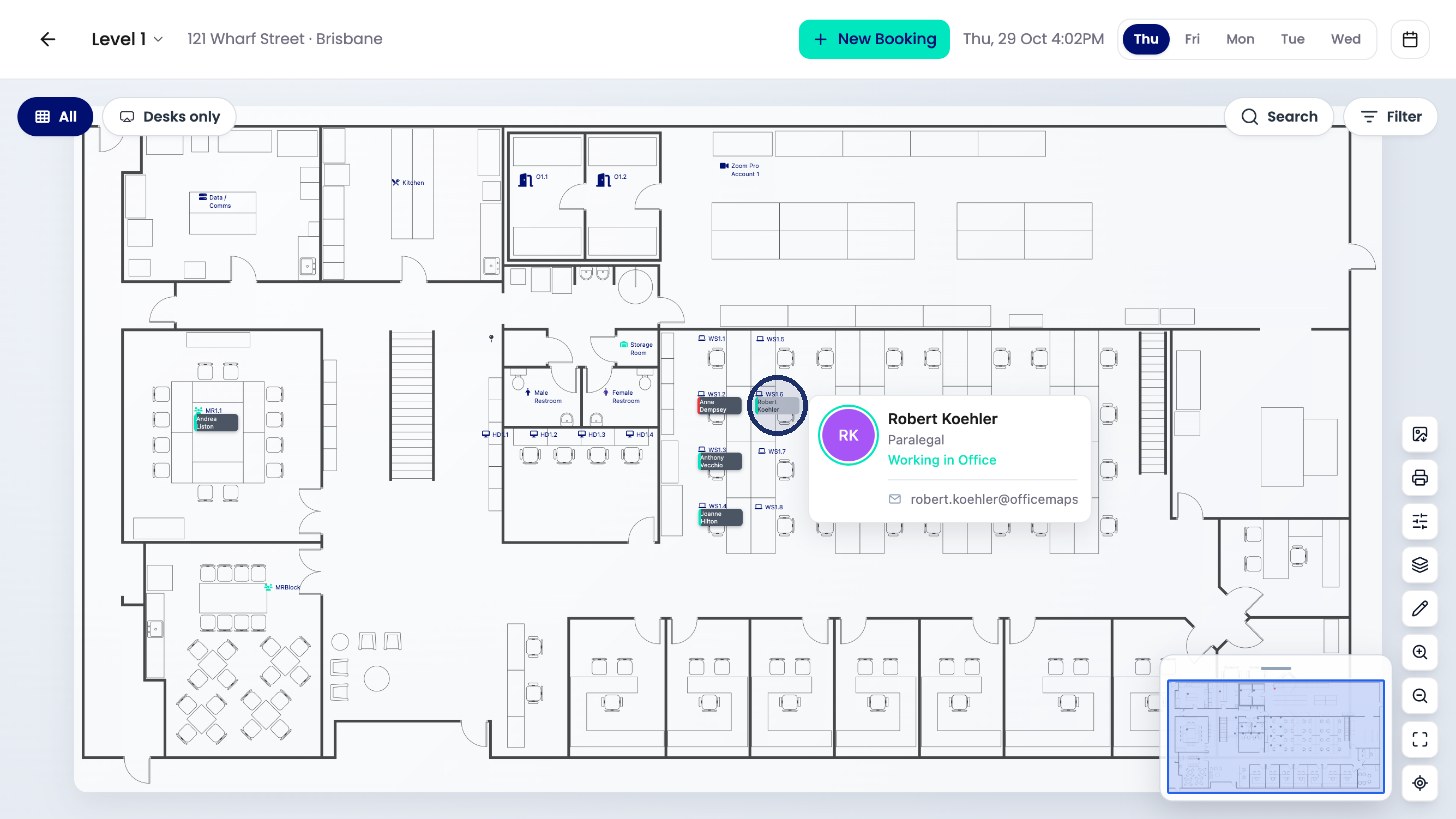
Click the desk on the floorplan. -
Their booking shows under Allocations on the right. Click the X next to it.
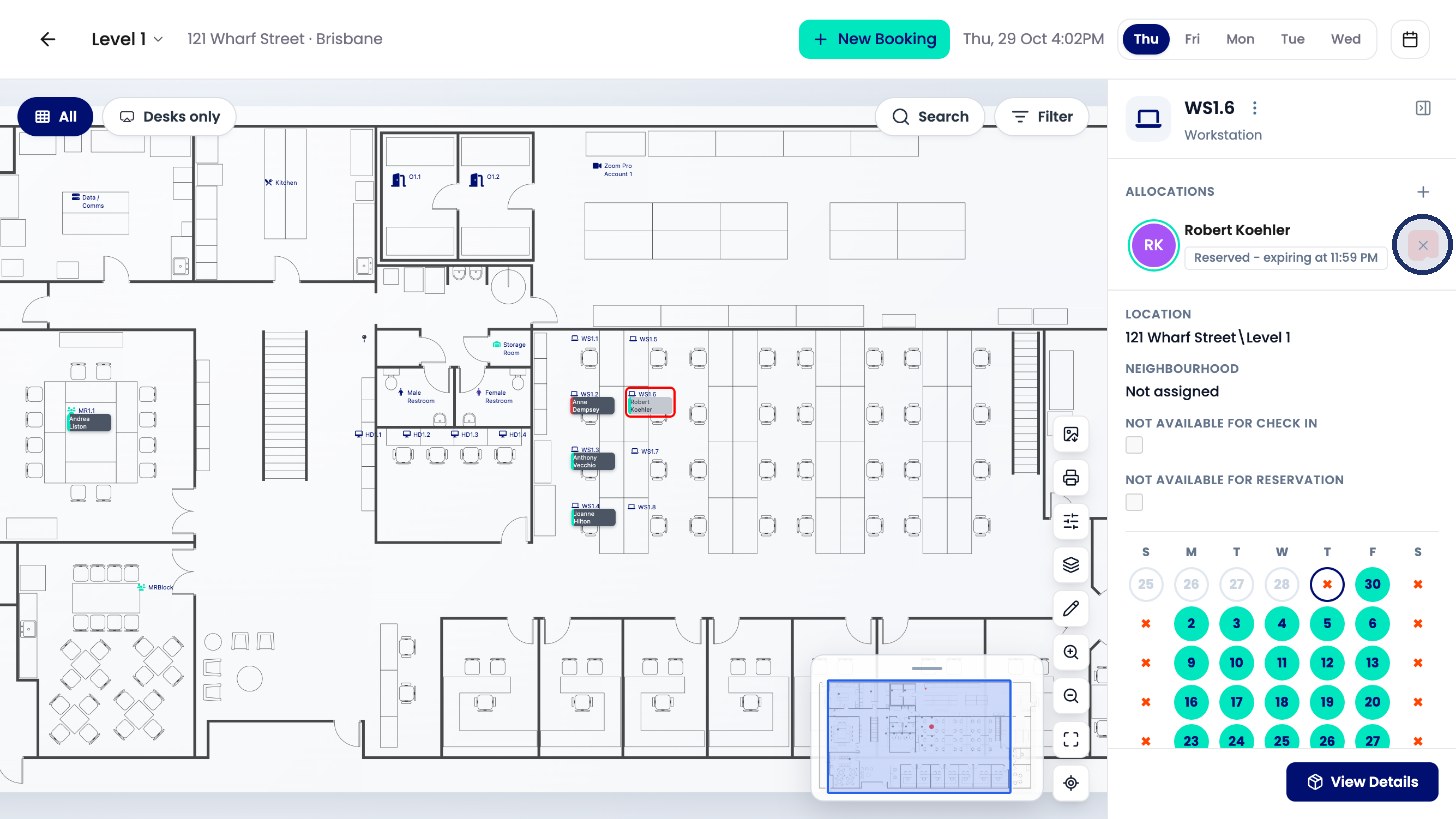
Click the X next to their booking. -
Click Remove to confirm.
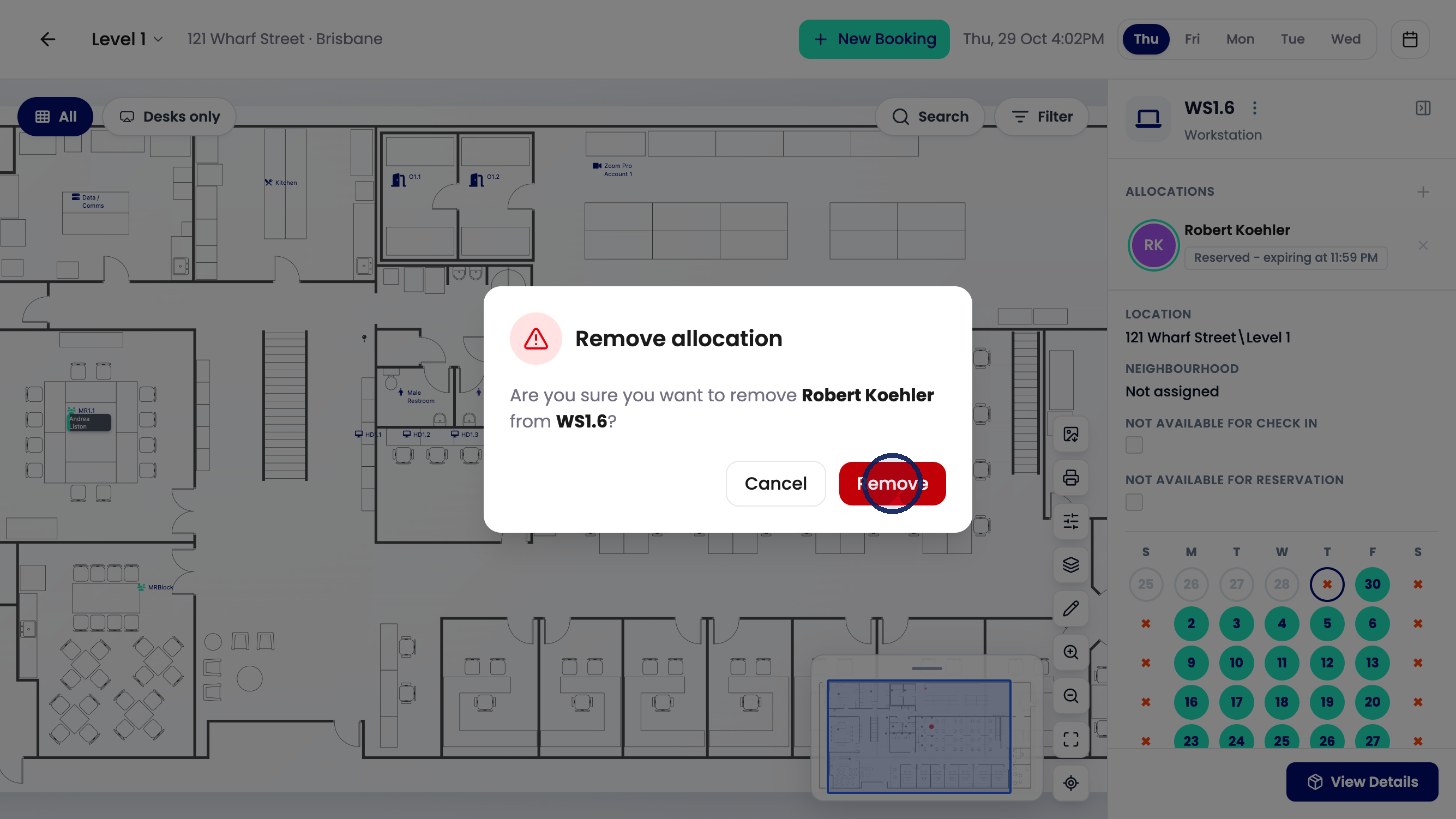
Click Remove to confirm.
An Allocation removed message confirms it, and the desk shows as available again.