
Want a desk to belong to one person, so nobody else can book it? This article shows you how to allocate a permanent desk to someone, and how to remove the allocation later.
Allocate a desk
-
Open the level’s floorplan and click the desk.
-
Click the + next to Allocations.
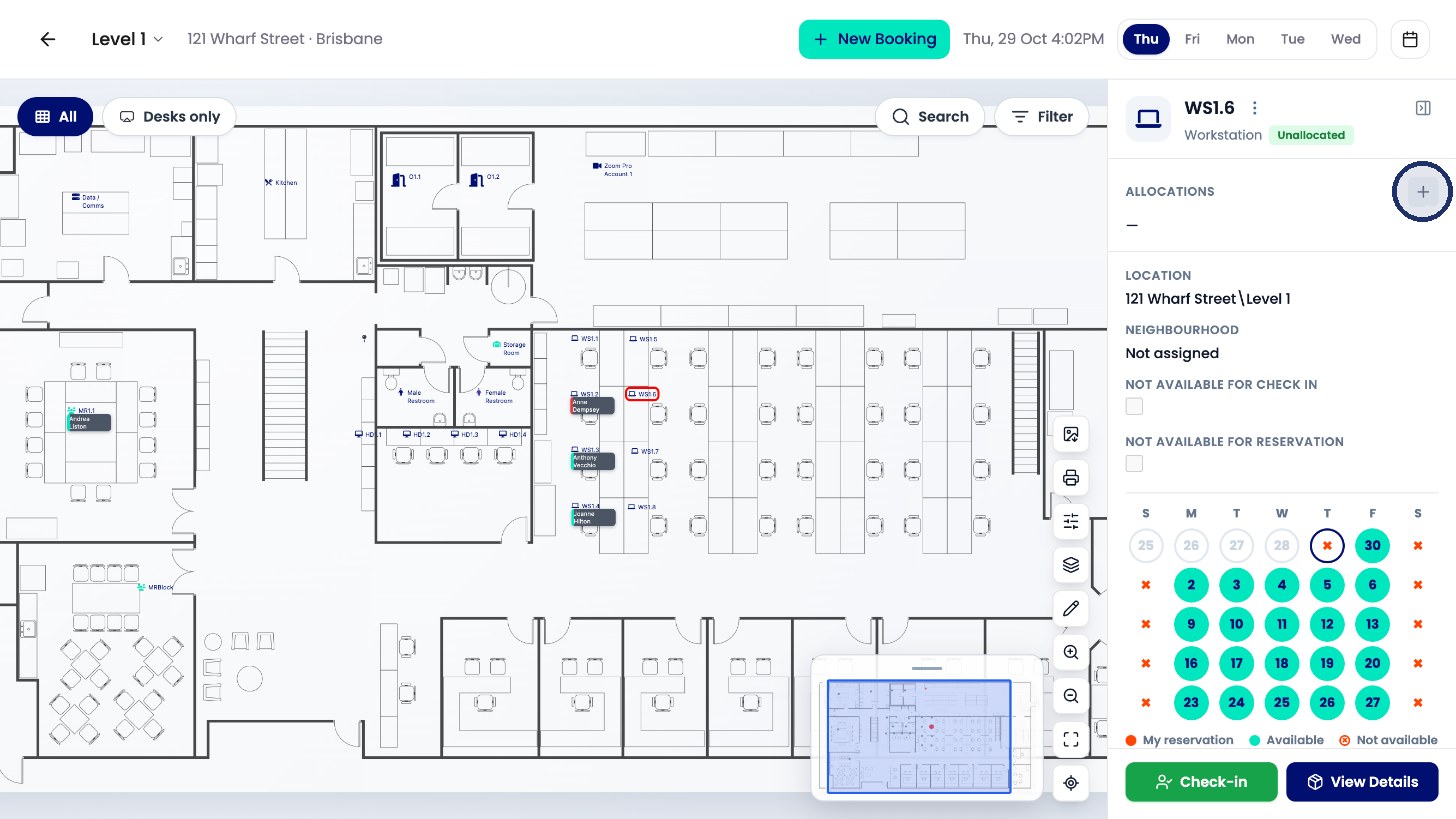
Click + next to Allocations. -
Search for the person and select them.
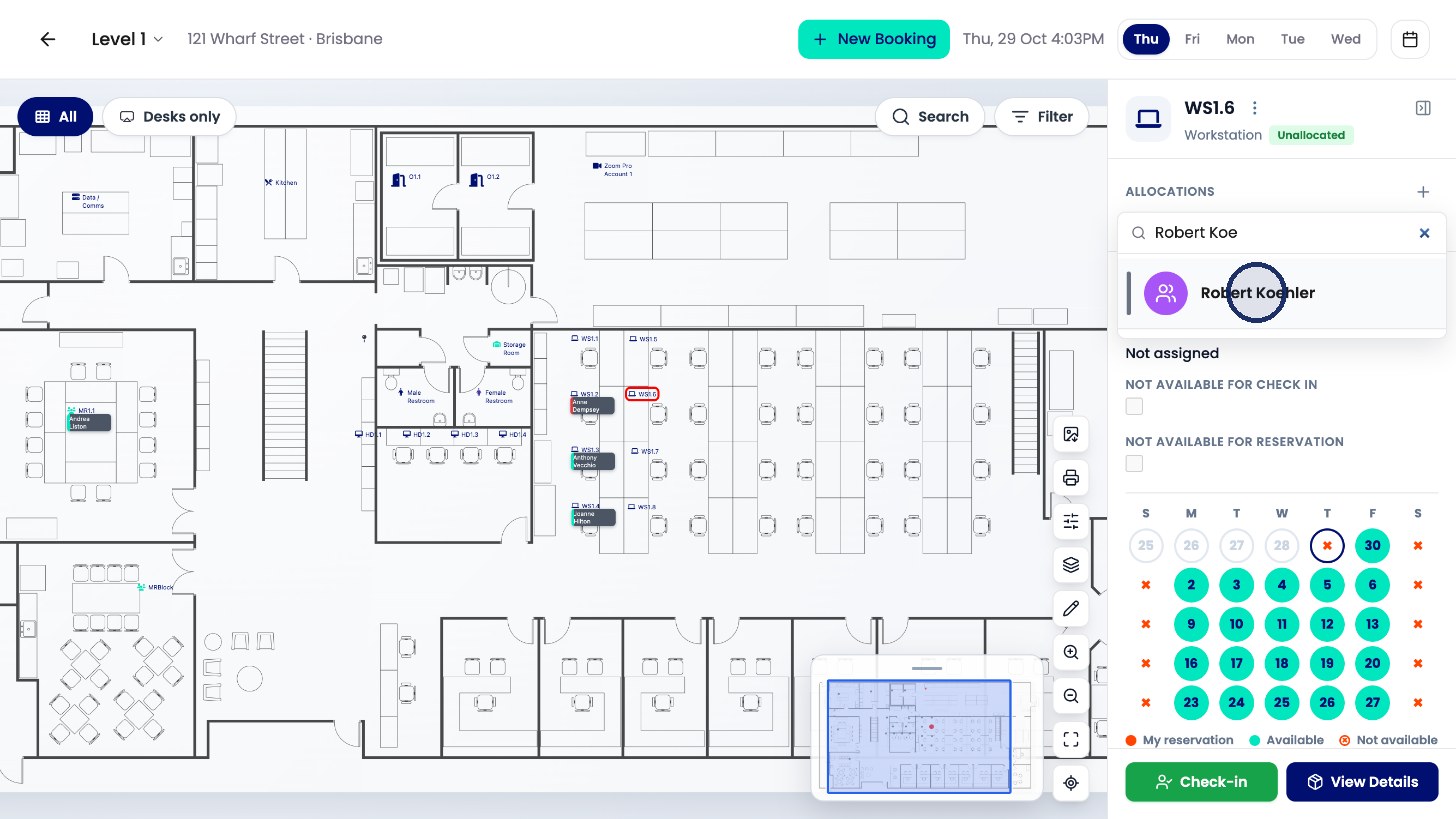
Select the person. -
Click Allocate to confirm.
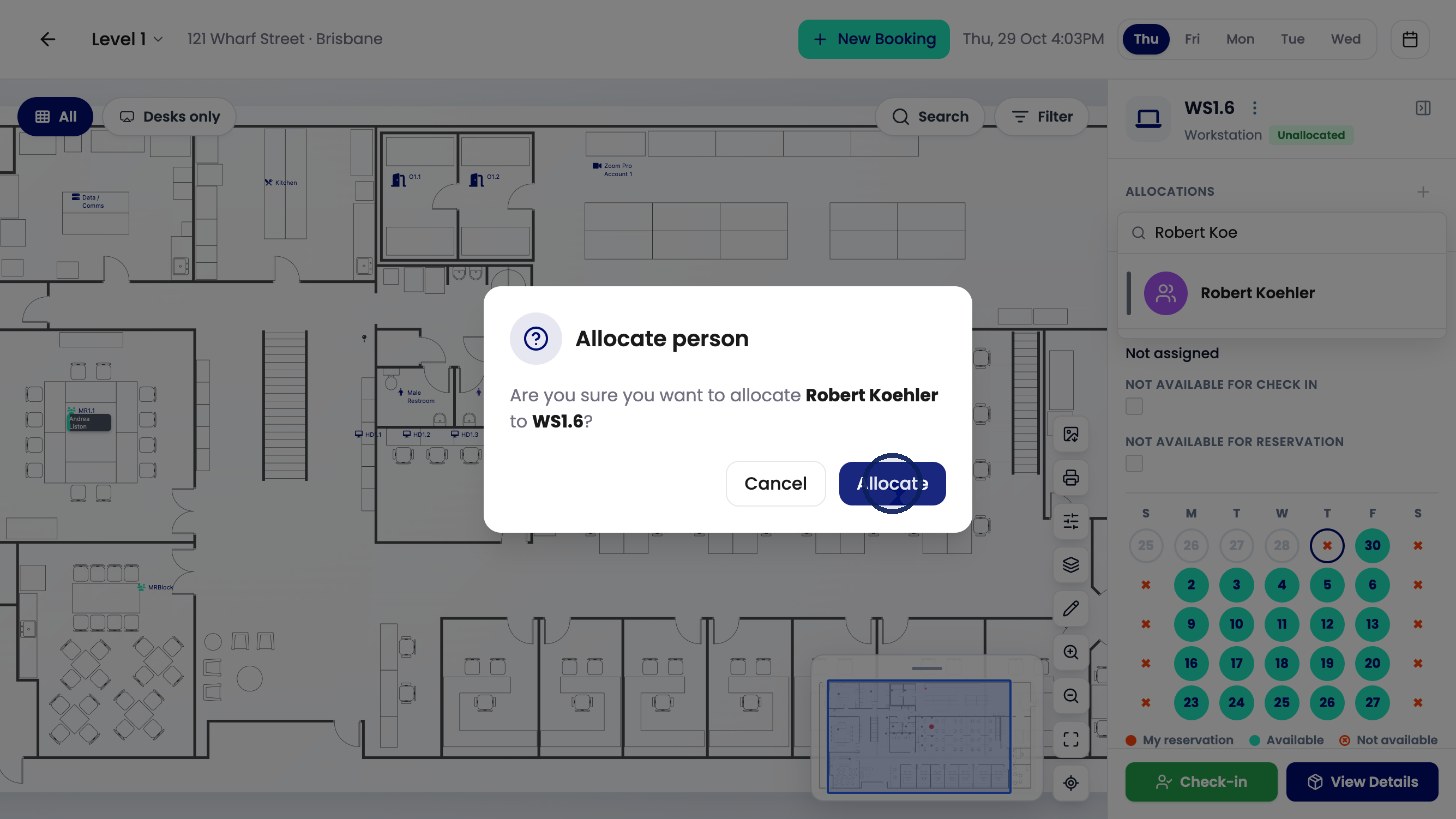
Click Allocate.
The desk now shows Permanent Allocation under the person’s name.
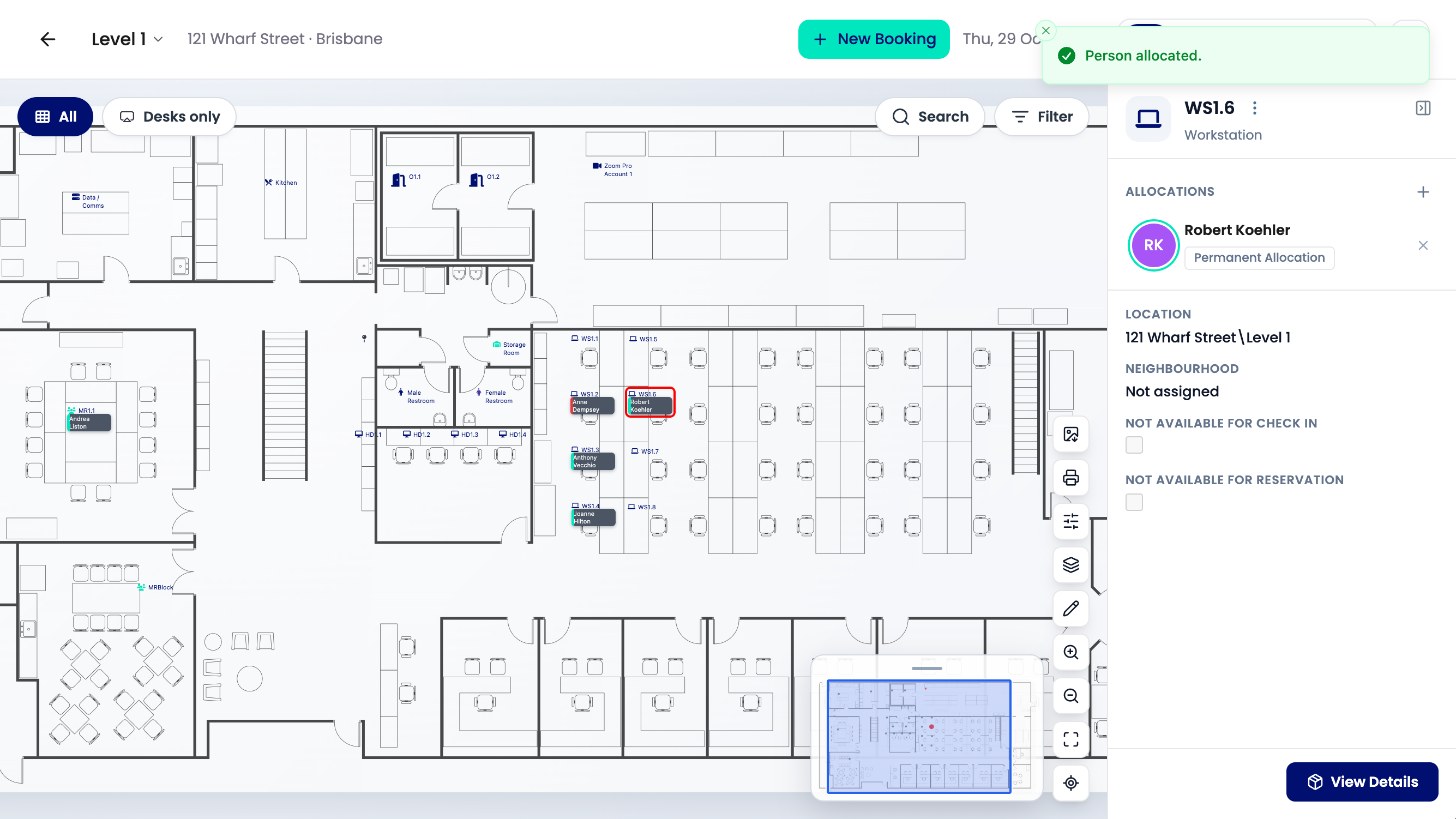
Remove an allocation
-
Click the X next to the person’s name.
-
Click Remove to confirm.
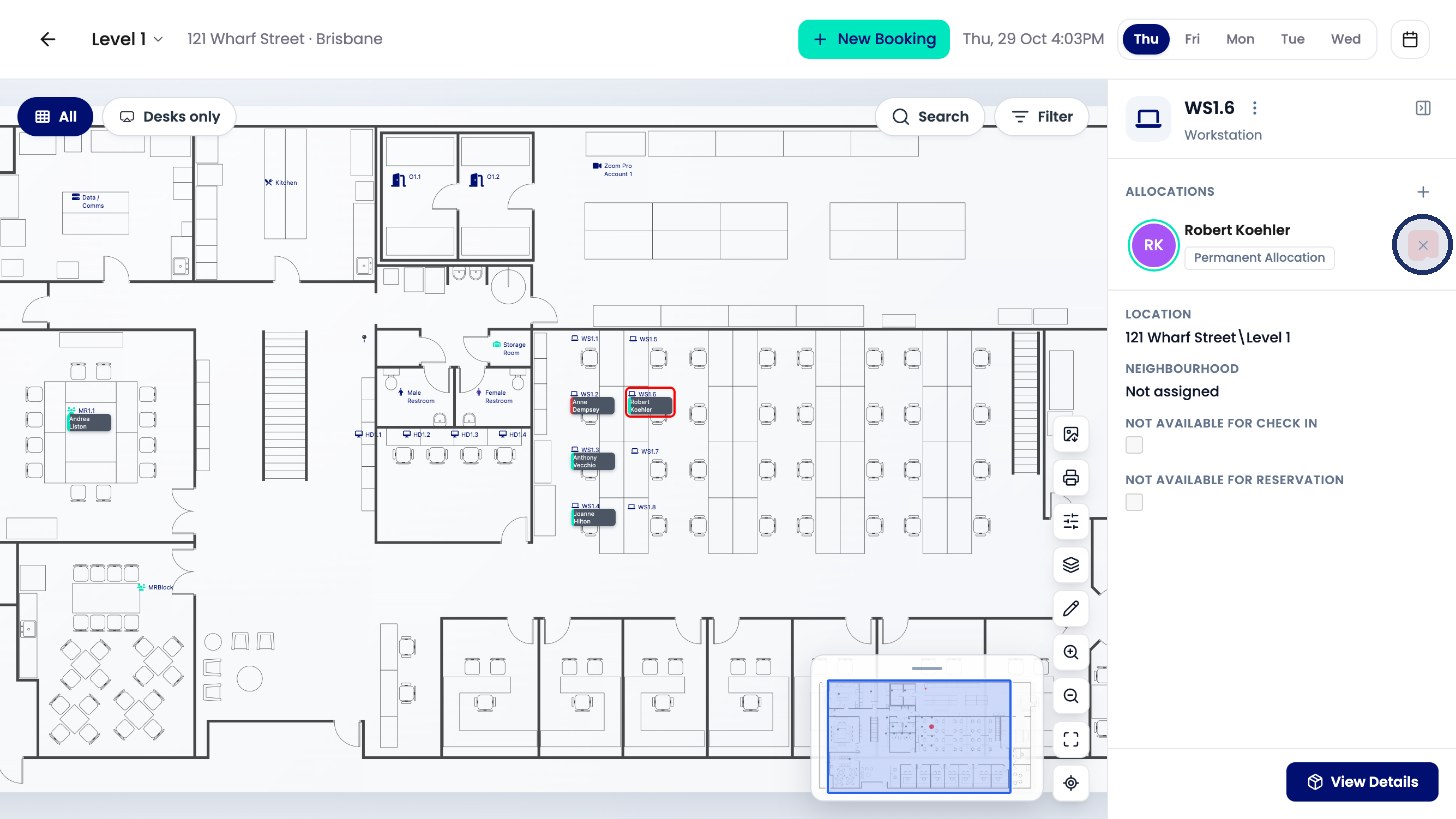
Click the X to remove the allocation. 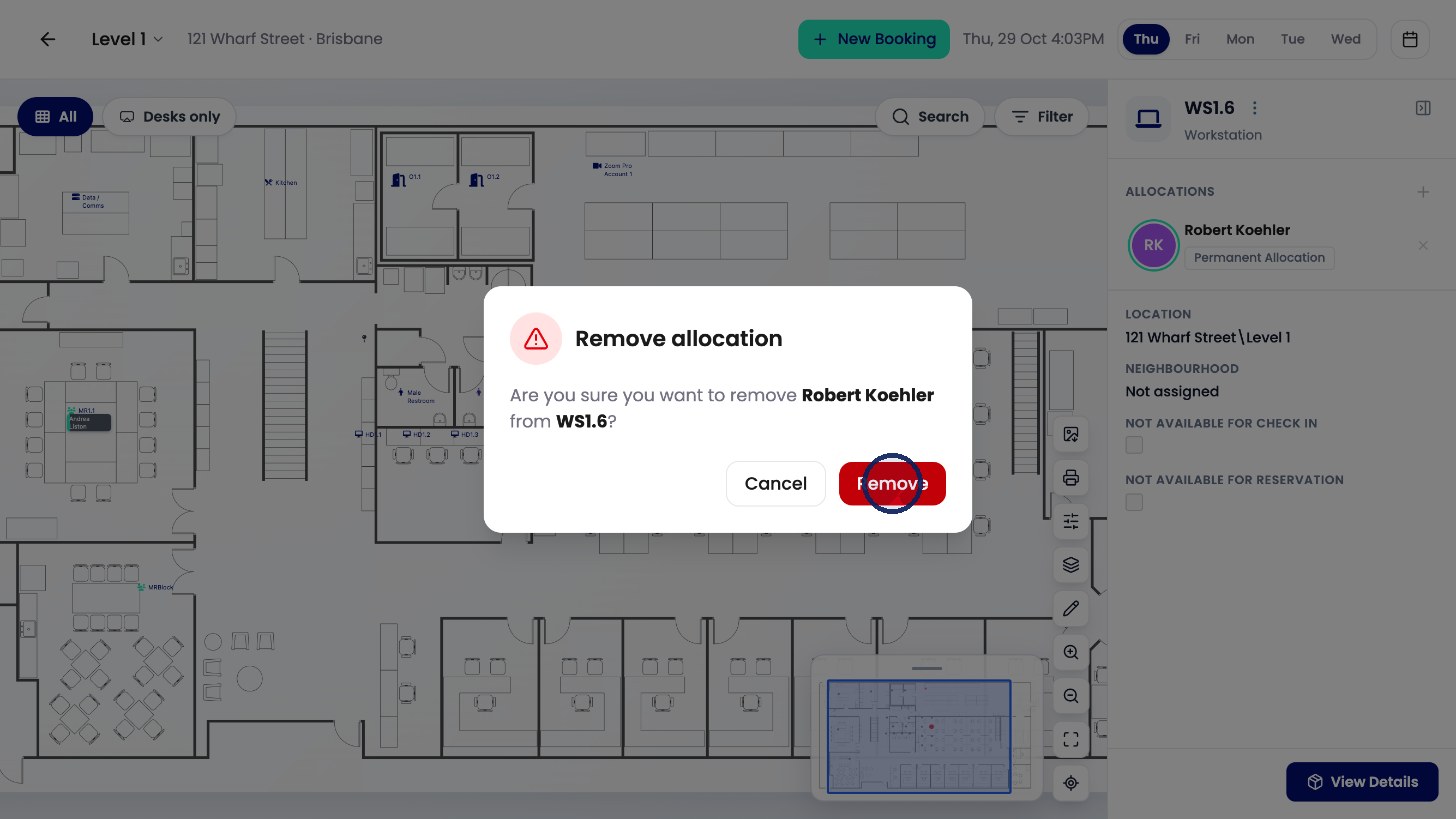
Click Remove to confirm.
The desk shows as Unallocated again.