
Arrived at your desk, or have your plans changed? This article shows you how to find your bookings, check in when you arrive, and cancel a booking you no longer need.
Find your bookings
Now shows today's booking, and Upcoming shows your bookings for the next 14 days, by date. Past Bookings shows your recent bookings.
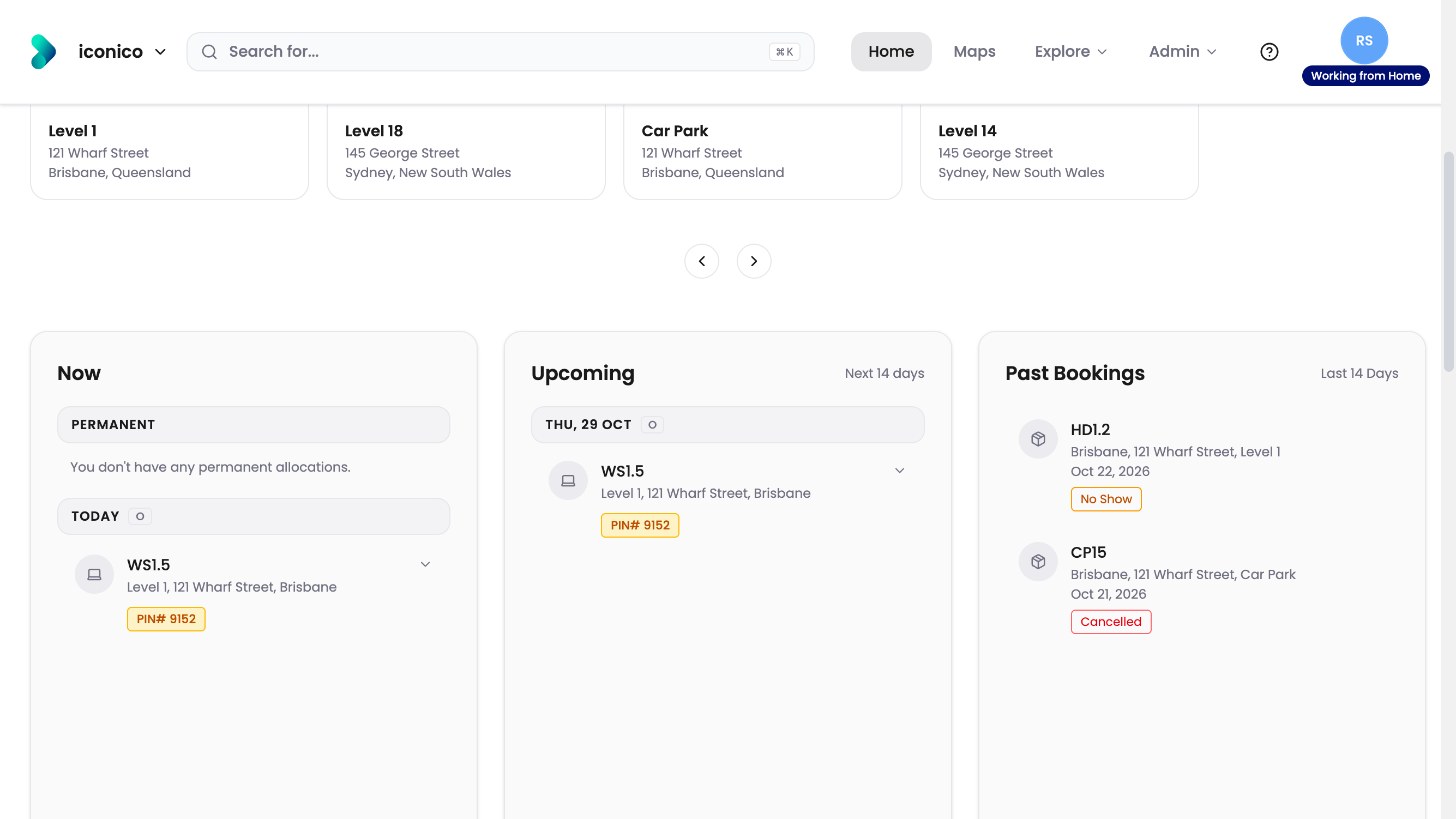
A booking for another day shows under Upcoming as soon as you make it. On the day, it also shows under Now, in Today. That's when you can check in.
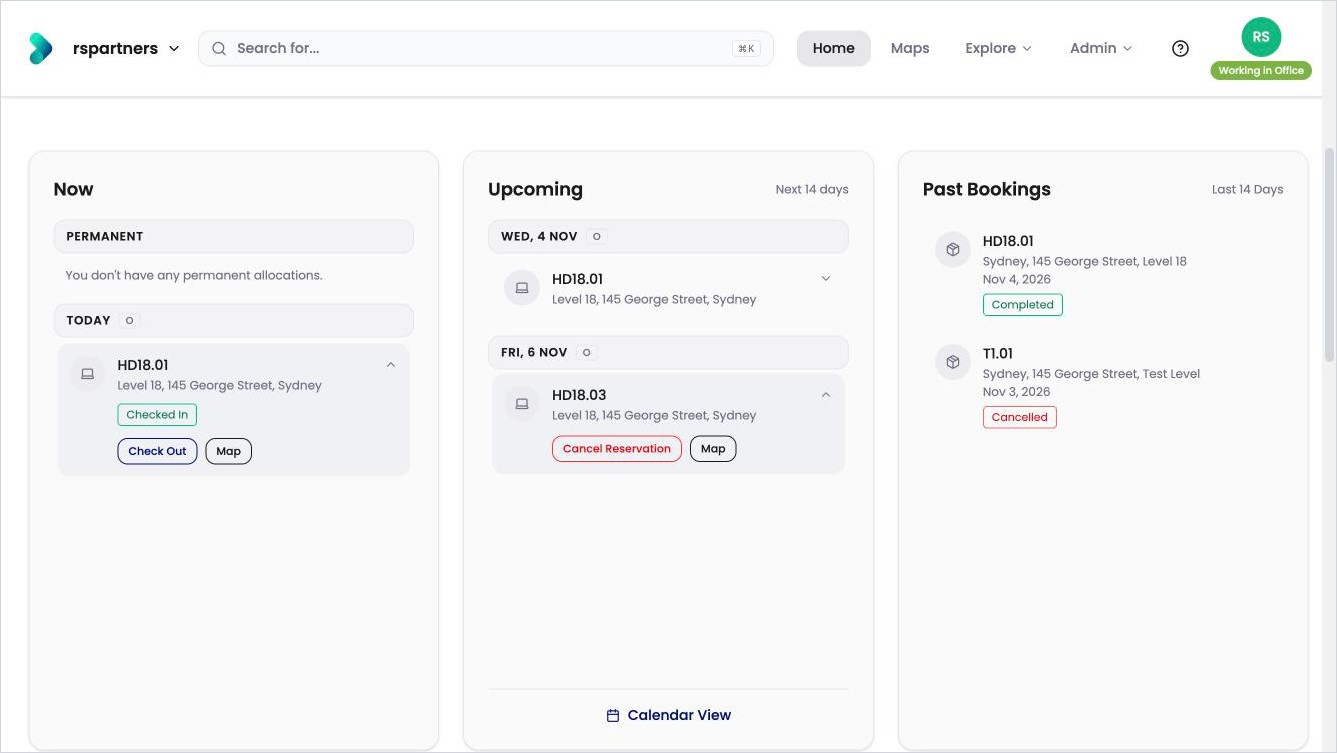
Today's booking under Now, and Friday's booking under Upcoming.
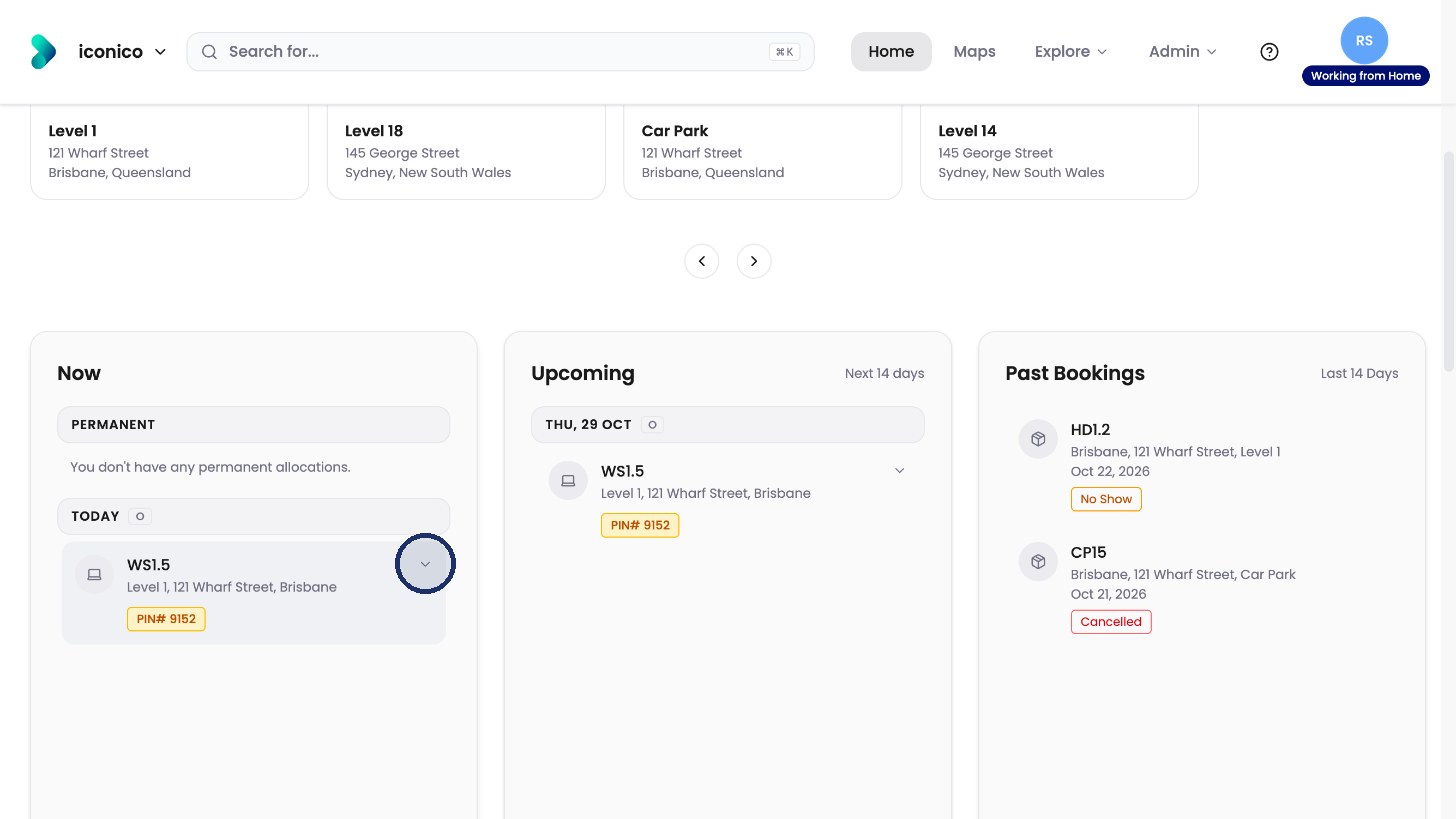
Click the arrow on a booking to see what you can do.
Check in
-
Click Check In when you arrive.
-
Choose how long you’ll stay, and confirm.
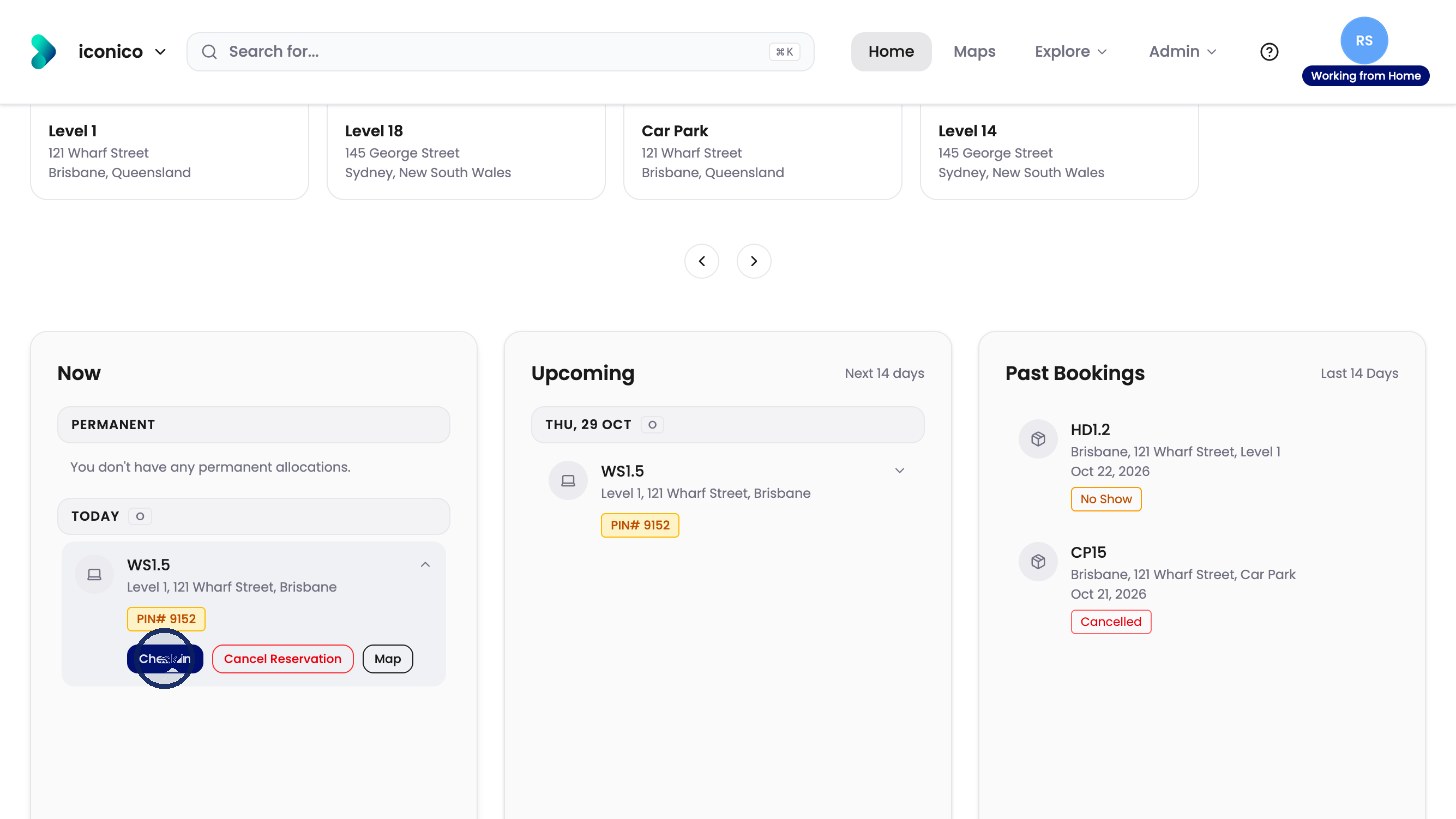
Click Check In. 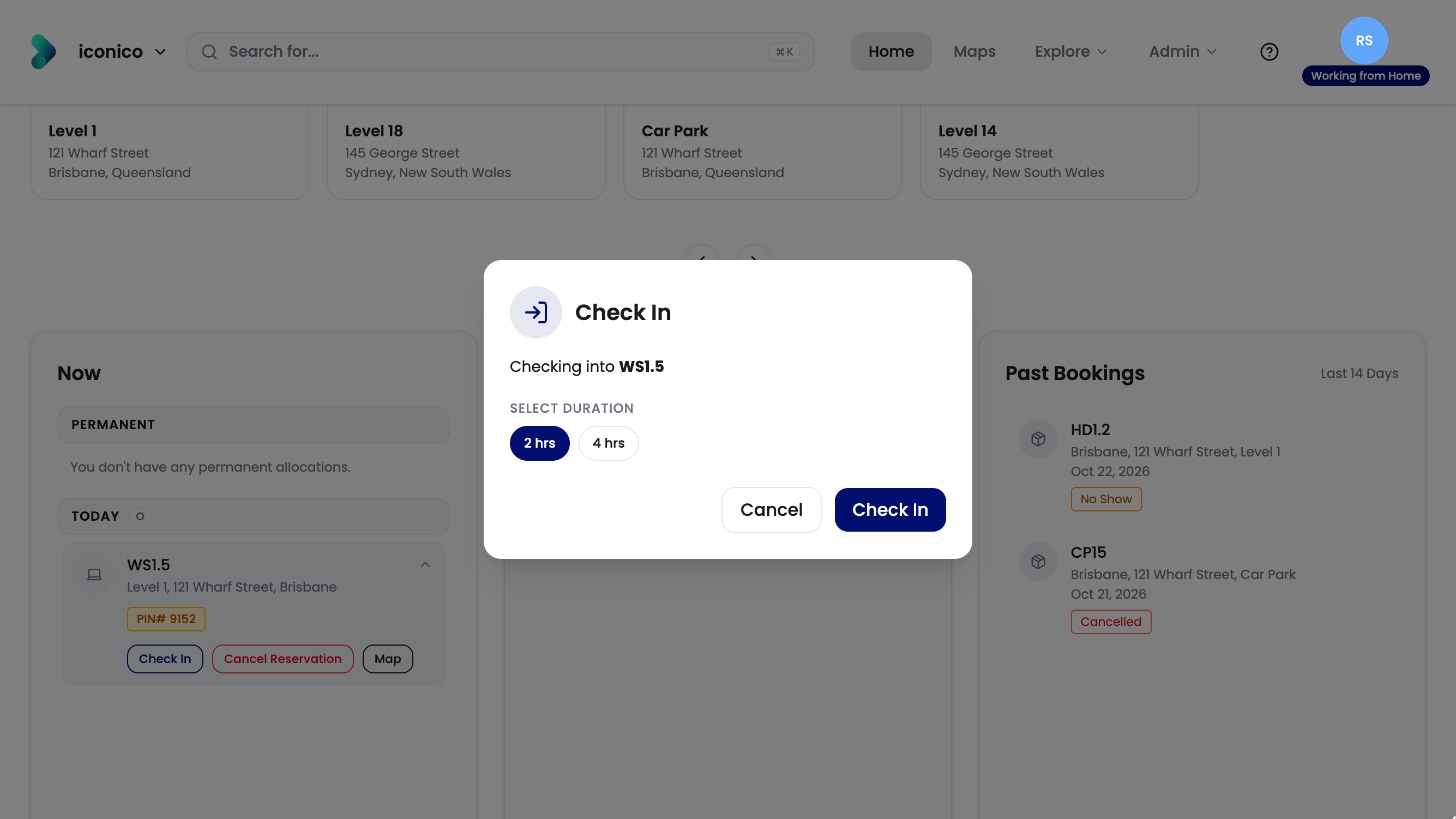
Choose how long you’ll stay.
Cancel a booking
-
Click Cancel Reservation.
-
Click Yes, Cancel.
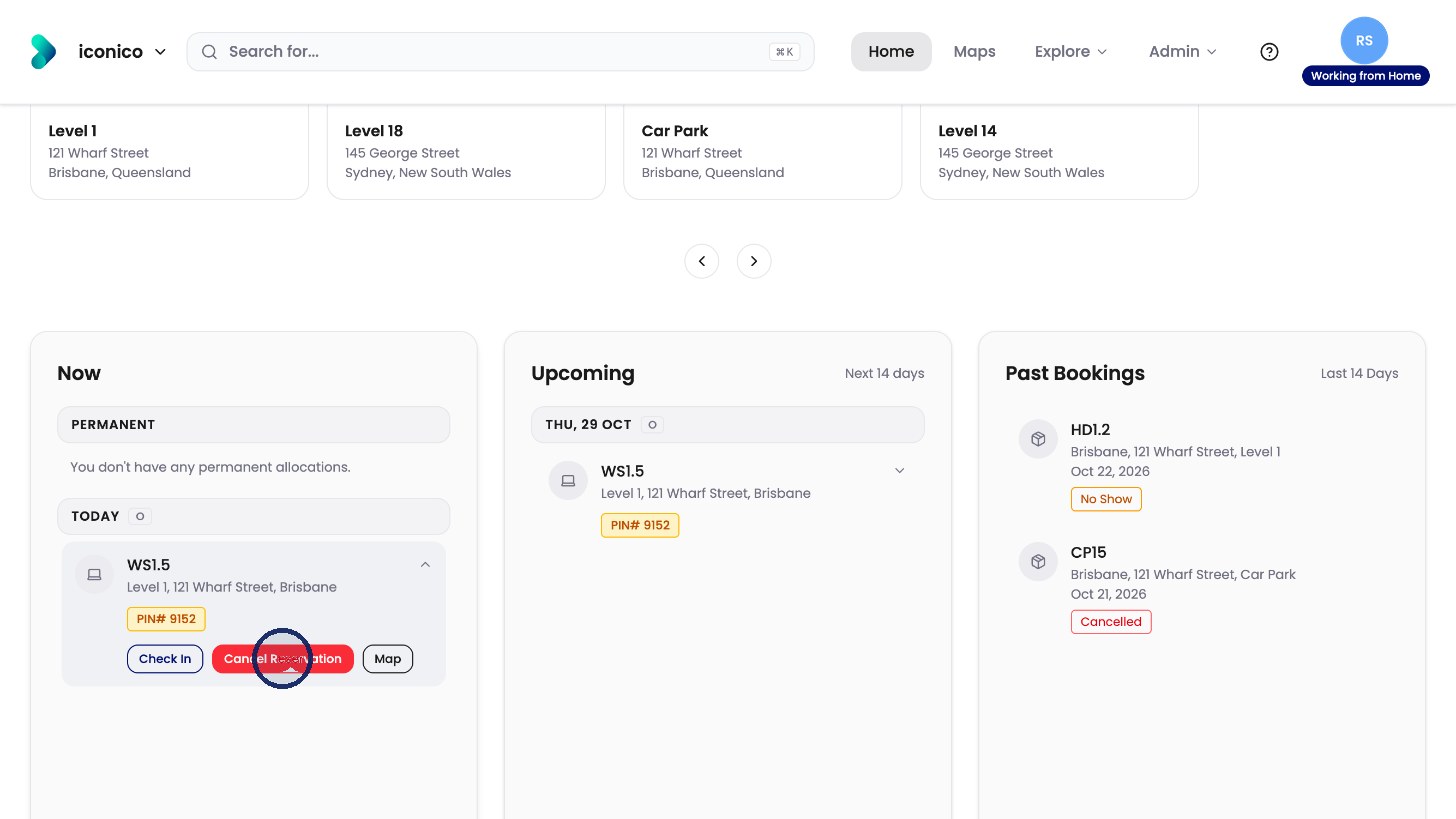
Click Cancel Reservation. 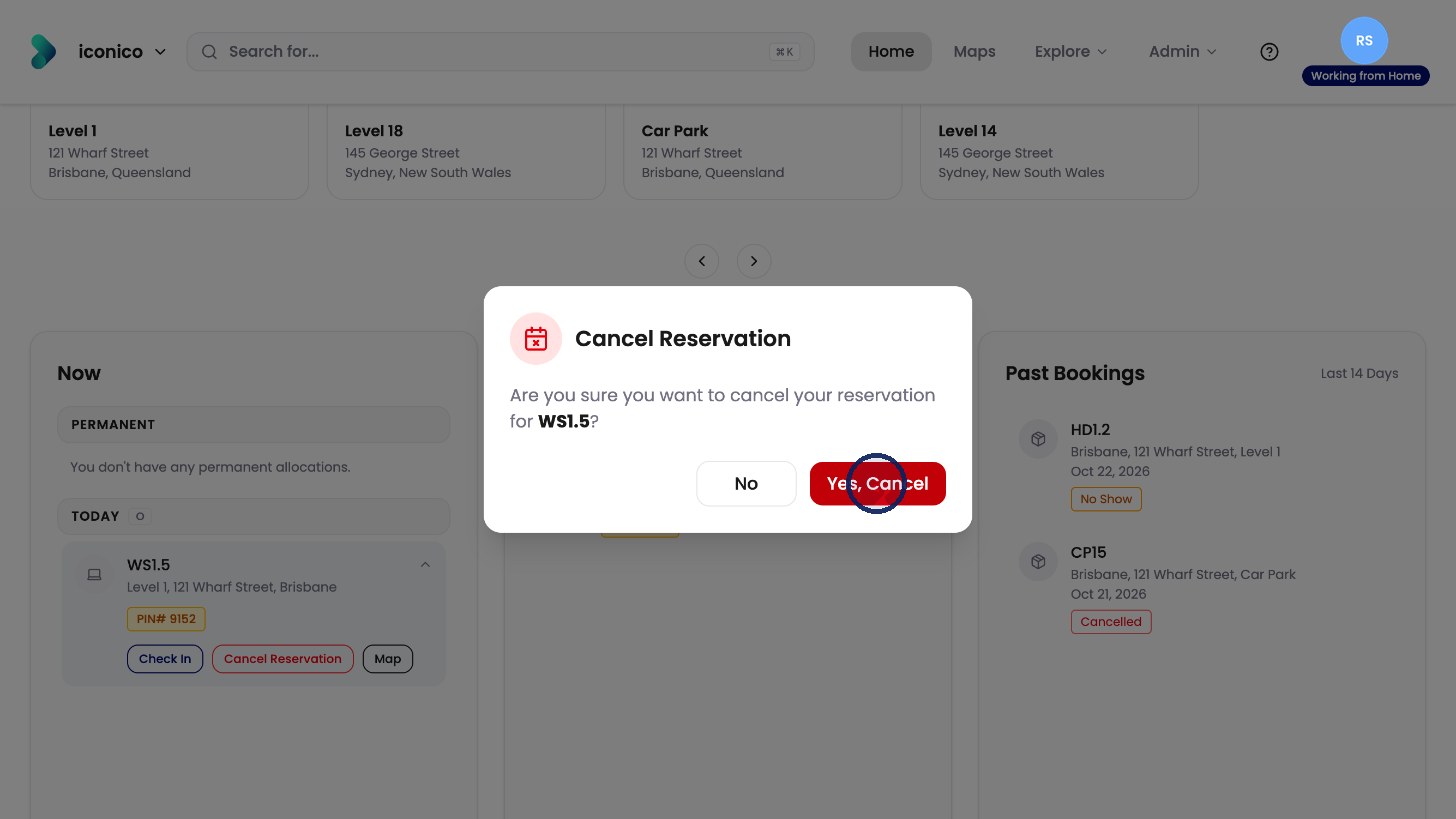
Click Yes, Cancel.
The desk is freed up for someone else.