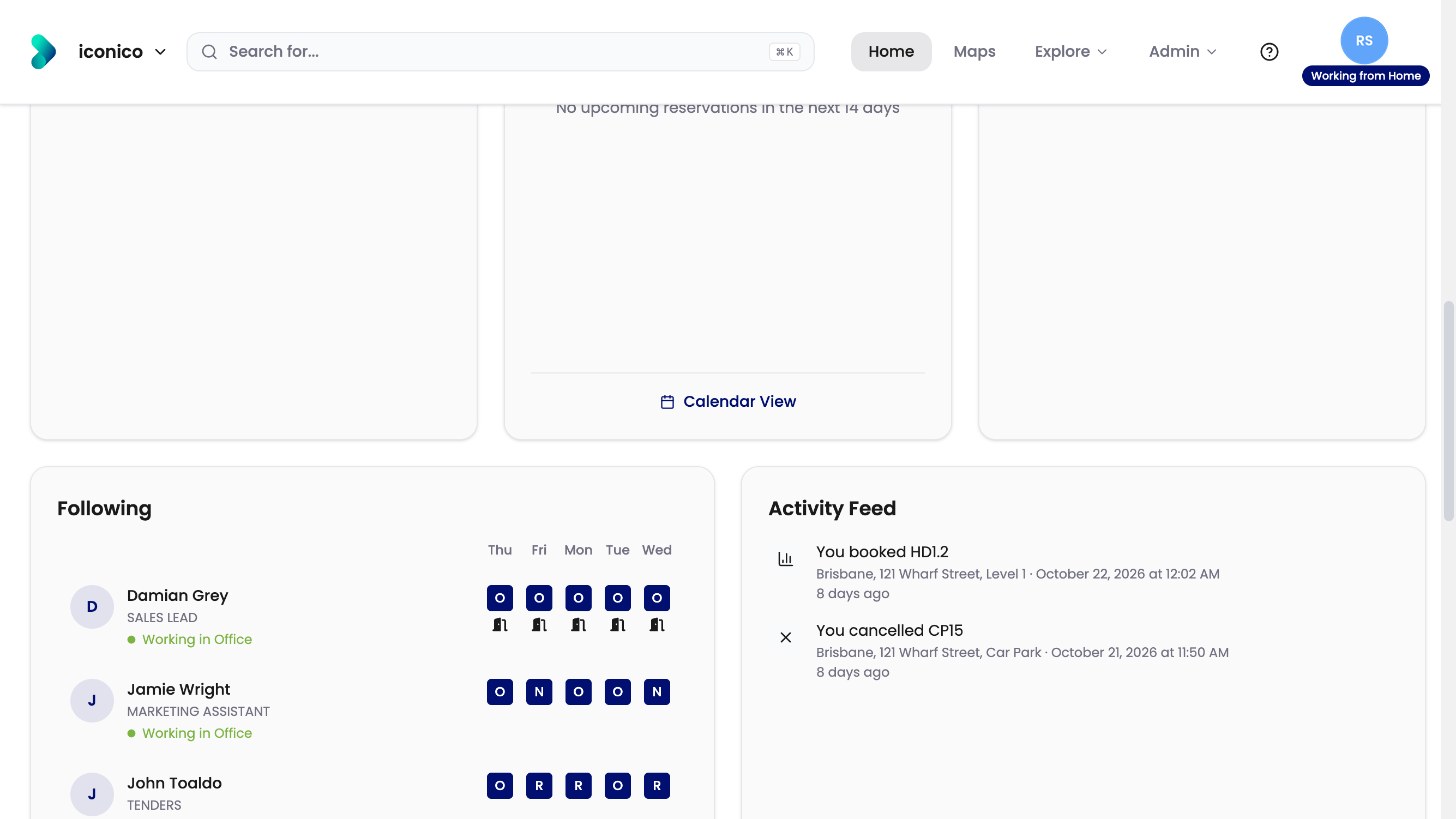
Just signed in and wondering what everything on the Home screen does? This article walks you through Home: the top menu, creating a new booking, your starred floors and your bookings.
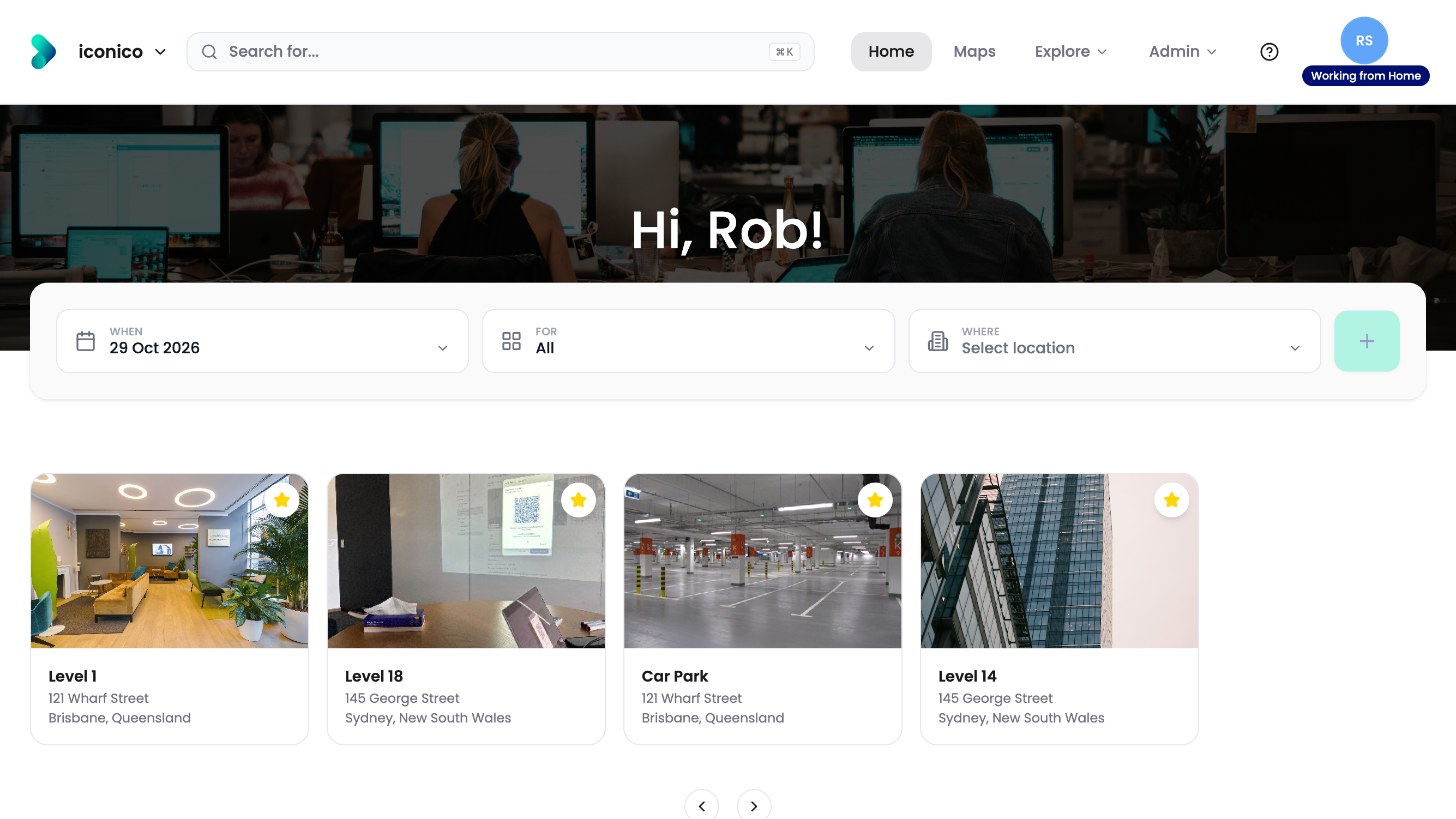
The top menu
|
Item |
What it does |
|---|---|
|
Search for… |
Finds people, departments, assets, pins and locations |
|
Home |
Returns to the Home screen |
|
Maps |
Browses offices and floors |
|
Explore |
Lists people, departments, assets and pins |
|
Your picture |
Sets your status and opens your profile and preferences |
Administrators also see an Admin menu.
Create a new booking
Under the greeting, choose When, For (the type of desk or space) and Where. Then click the + button.
Starred floors
Floors you’ve starred appear as cards. Click a card to open that floor. Use the arrows to scroll through them.
Your bookings
Scroll down to see your bookings.
|
Widget |
What it shows |
|---|---|
|
Now |
Any permanent desk you have, and today’s booking |
|
Upcoming |
Your bookings for the next 14 days |
|
Past Bookings |
Your recent bookings |
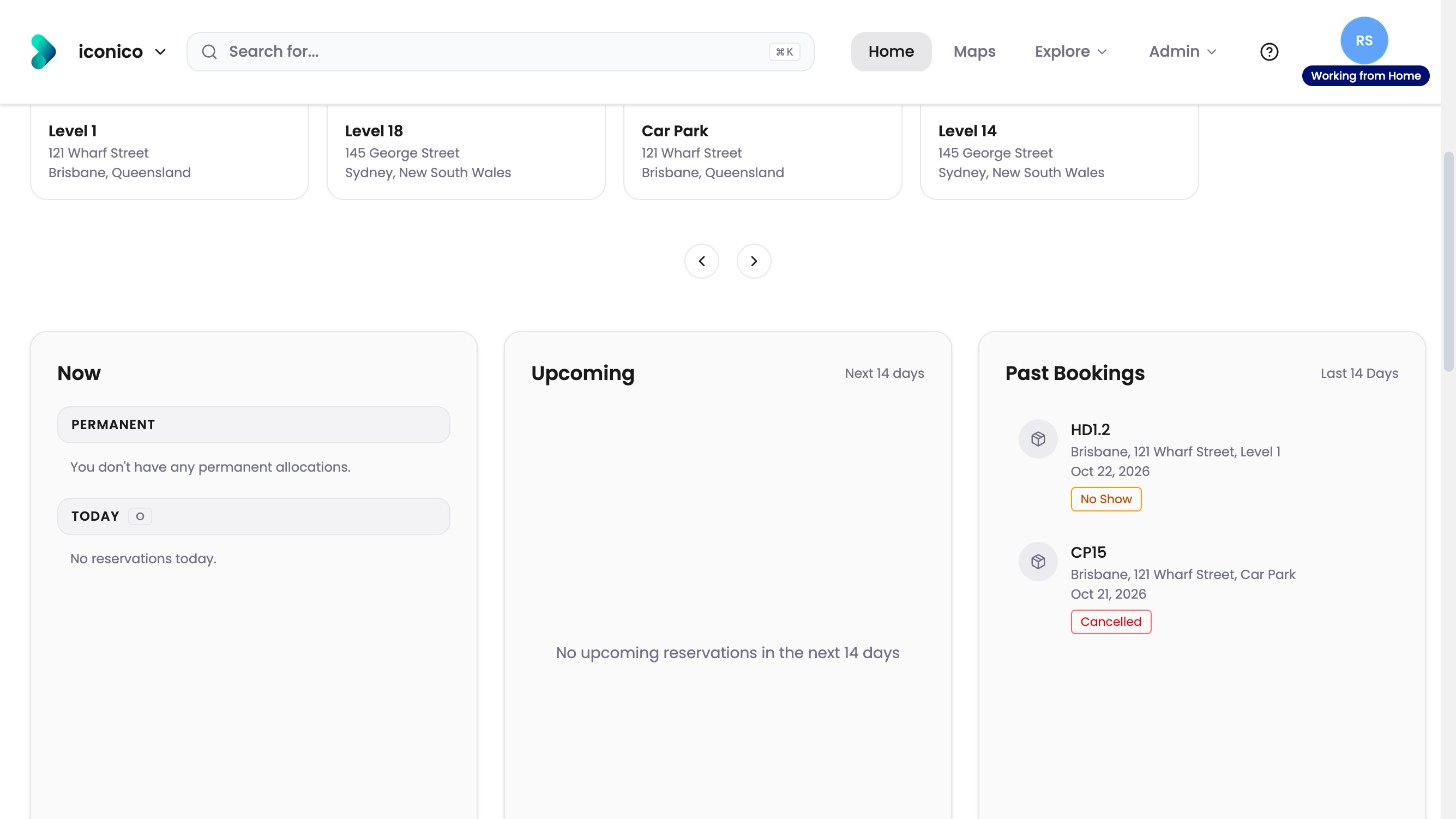
More widgets
Further down are Following, your Activity Feed and Booking Overview. See How do I see where my colleagues are working?