
Not sure what a number on a dashboard means? This article explains every figure on the level, asset and person dashboards, so you can read them with confidence.
Level dashboard
Open a level from Maps and click Dashboard under the photos. The dashboard has two tabs, Overview and Overview 2. Last Updated shows when the figures were worked out. Click the refresh icon next to it to update them.
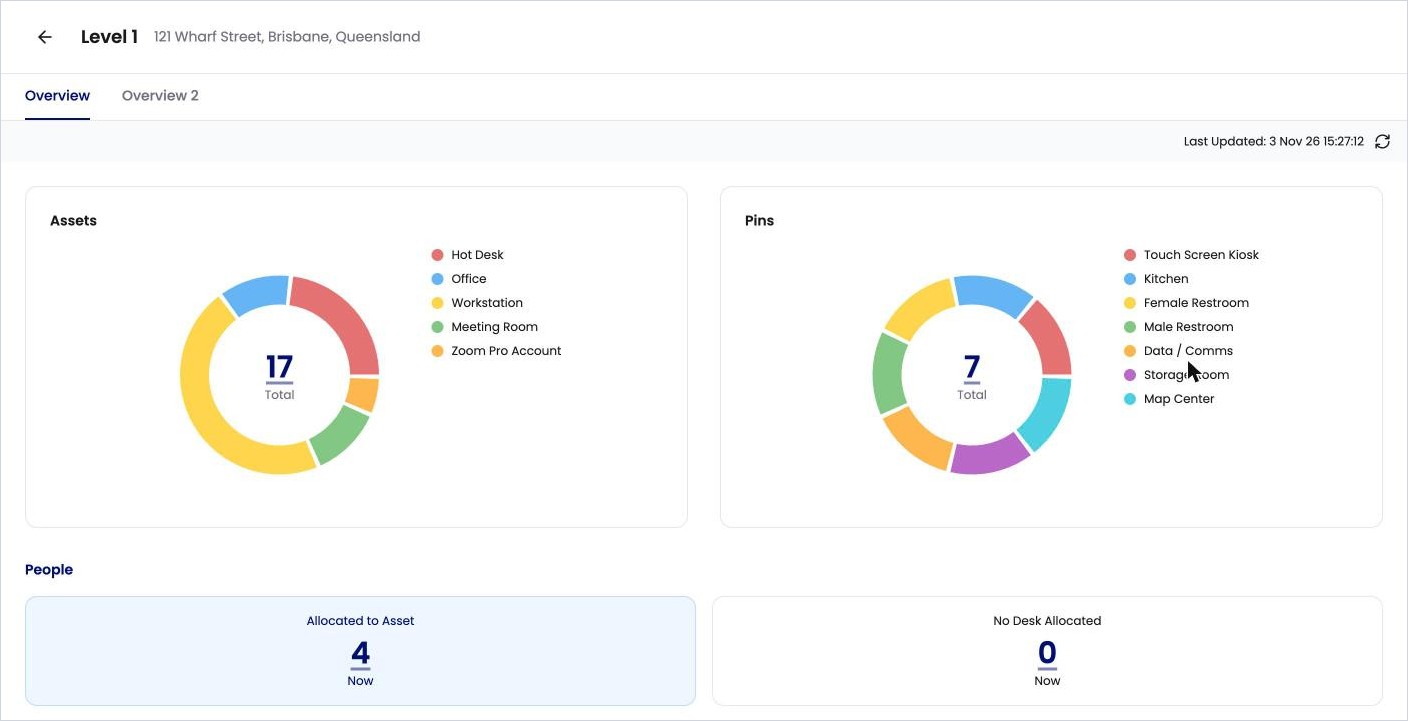
Assets and pins
|
Field |
What it means |
|---|---|
|
Assets |
All assets on the level, split by type, with the total in the middle. |
|
Pins |
All pins on the level, split by type, with the total in the middle. |
People
|
Field |
What it means |
|---|---|
|
Allocated to Asset (Now) |
People currently allocated to an asset on this level. |
|
No Desk Allocated (Now) |
People whose home location is this level but who don’t have a desk. |
All Desks (assets whose type has Is Desk ticked)
|
Field |
What it means |
|---|---|
|
Desks (Now) |
How many desks are on the level. |
|
Allocated (Now) |
Desks allocated to someone right now. |
|
Unallocated (Available Now) |
Desks not allocated right now. |
|
Allocations (Last 3 Months) |
How many times desks on the level were allocated in the last three months. |
|
Occupancy (Desk Allocated) |
The share of desks allocated right now. |
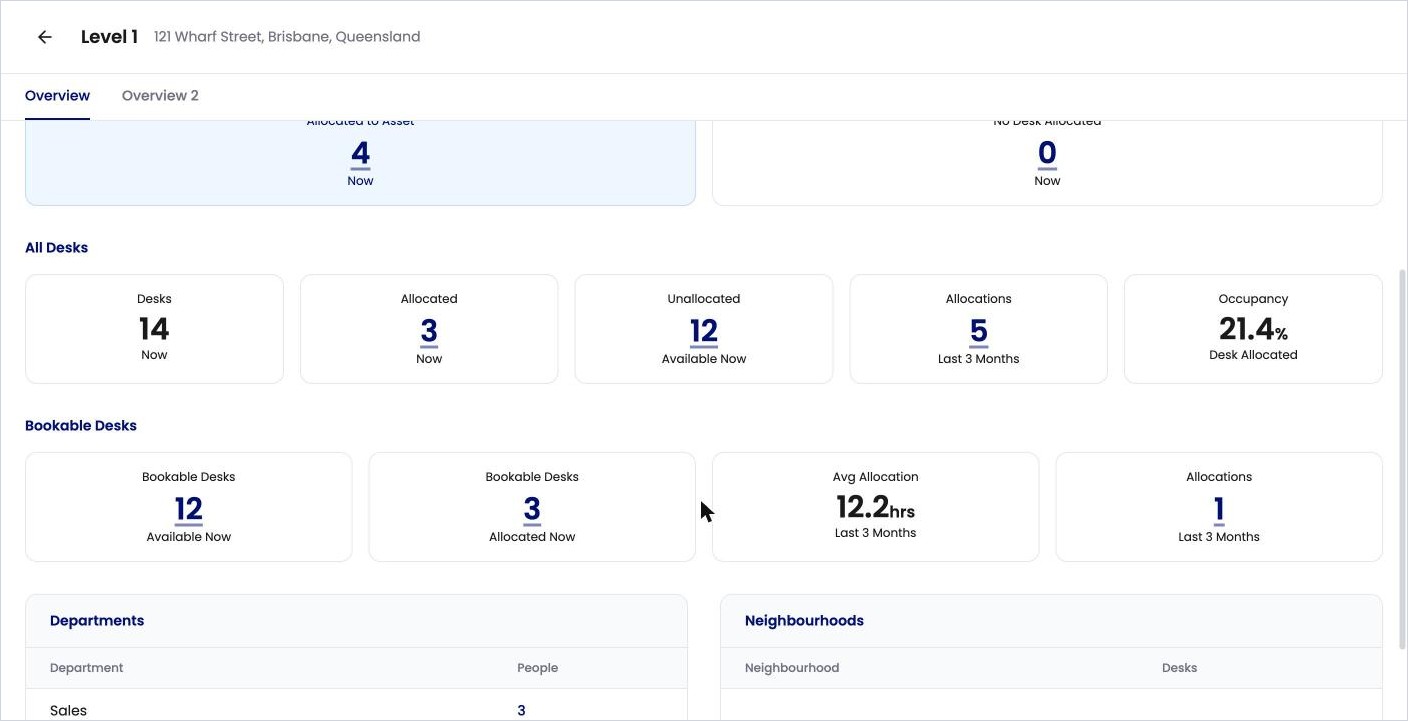
Bookable Desks (desks people can check in to or reserve)
|
Field |
What it means |
|---|---|
|
Bookable Desks (Available Now) |
Bookable desks that are free right now. |
|
Bookable Desks (Allocated Now) |
Bookable desks that are taken right now. |
|
Avg Allocation (Last 3 Months) |
The average length of a booking, in hours. |
|
Allocations (Last 3 Months) |
How many bookings were made in the last three months. |
Departments and Neighbourhoods
-
Departments lists each department with people on this level, and how many.
-
Neighbourhoods lists each neighbourhood on this level, and how many desks it has.
Overview 2 shows the same people and desk figures as selectable cards. Click a card, such as No Desk Allocated, to list the people or desks behind it, with their name, email, type and location. Use Filter to narrow the list.
Asset dashboard
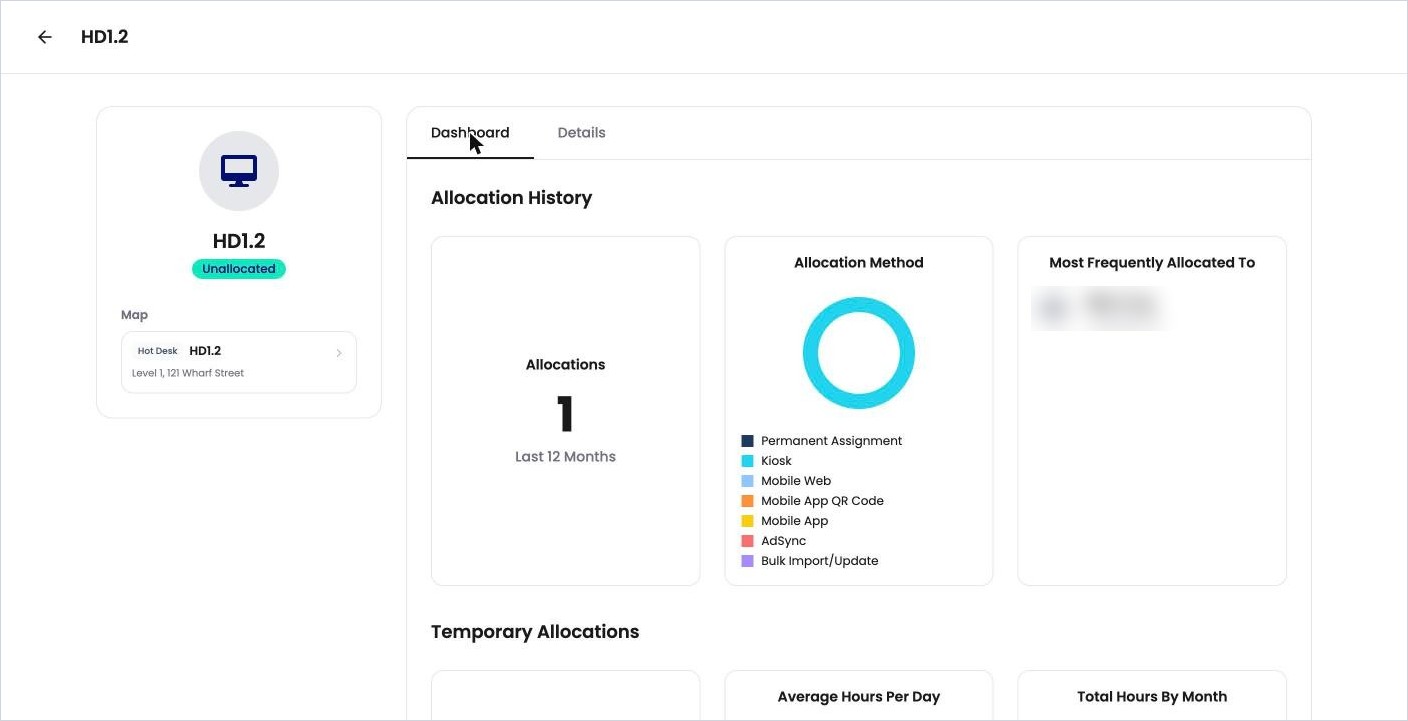
On the floorplan, click an asset, then View Details, then the Dashboard tab.
|
Field |
What it means |
|---|---|
|
Allocations (Last 12 Months) |
How many times the asset was allocated in the last year. |
|
Allocation Method |
How it was allocated: Permanent Assignment, Kiosk, Mobile Web, Mobile App QR Code, Mobile App, AdSync (from Entra) or Bulk Import/Update. |
|
Most Frequently Allocated To |
The people who used the asset most. |
|
Temporary Allocations |
For bookable assets that have been booked: total hours booked, average hours per day of the week, and total hours by month. |
Person dashboard
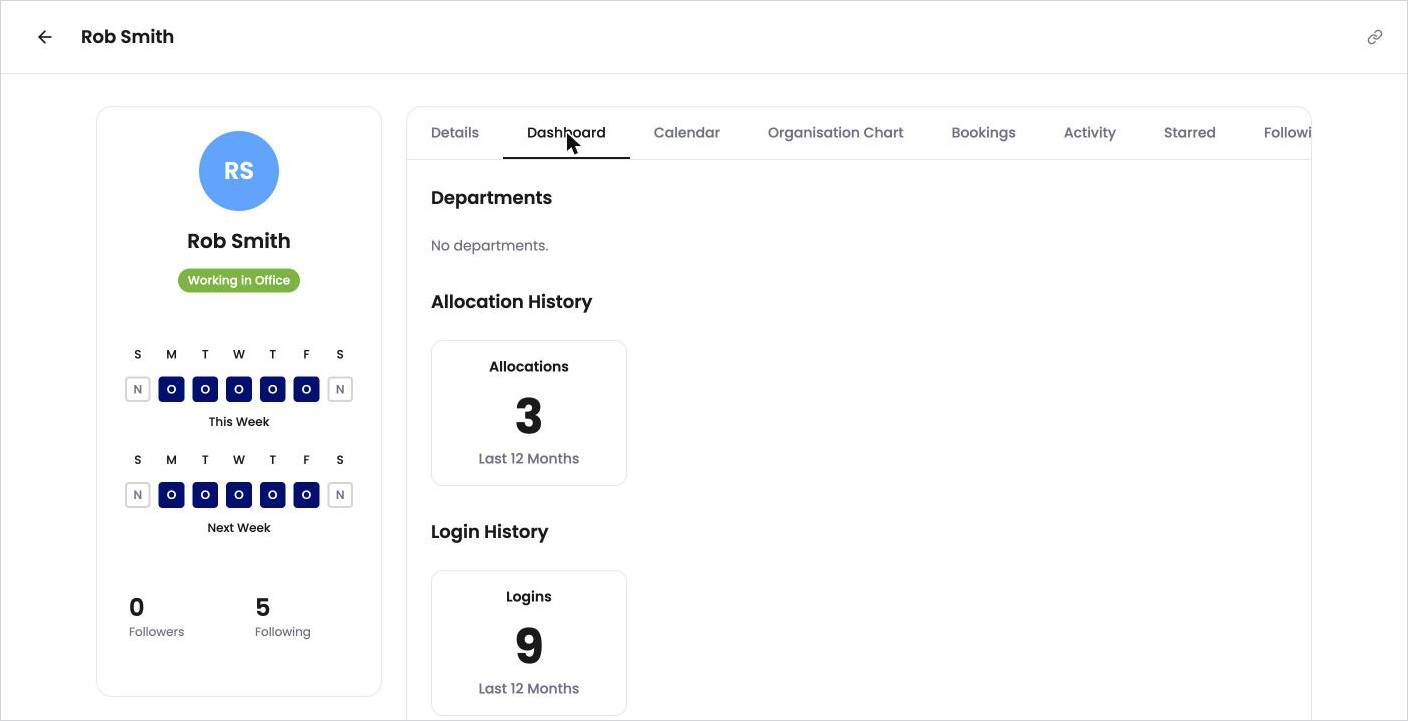
Open a person’s profile and click the Dashboard tab.
|
Field |
What it means |
|---|---|
|
Departments |
The departments the person belongs to. |
|
Allocations (Last 12 Months) |
How many times the person was allocated to an asset in the last year. |
|
Logins (Last 12 Months) |
How many times the person logged in in the last year. |