
Just started your OfficeMaps trial and wondering what's in it? This article introduces the sample company that's already set up for you, with its offices, people and teams, and suggests where to start.
Note: Everything in the trial is sample data. Change it, book desks and break things: nothing affects anyone else.
Your sample company
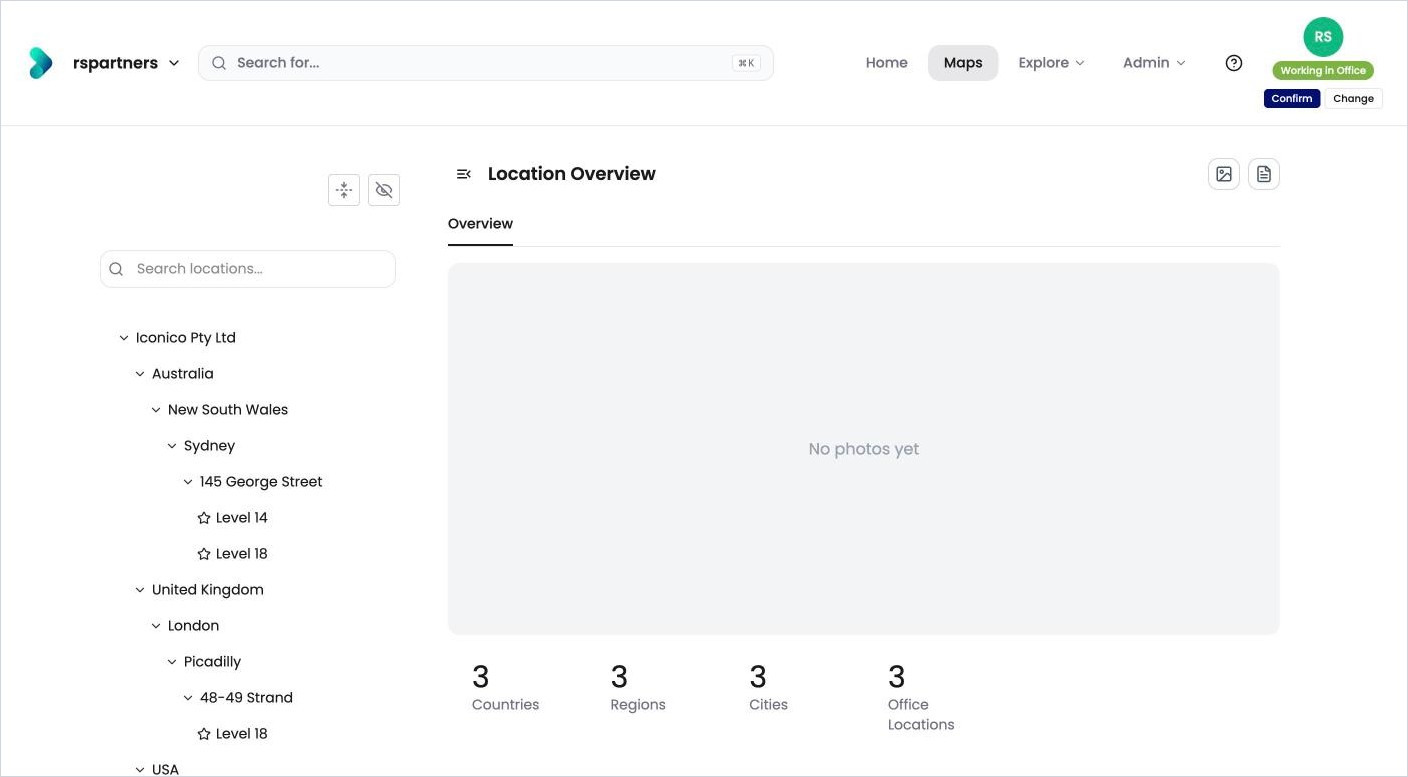
The trial comes set up with the instance name you choose and it comes with three offices.
|
Office |
City |
Levels |
|---|---|---|
|
145 George Street |
Sydney, New South Wales, Australia |
Level 14, Level 18 |
|
48-49 Strand |
London, United Kingdom |
Level 18 |
|
1179 Oak Street |
San Francisco, California, USA |
Level 18 |
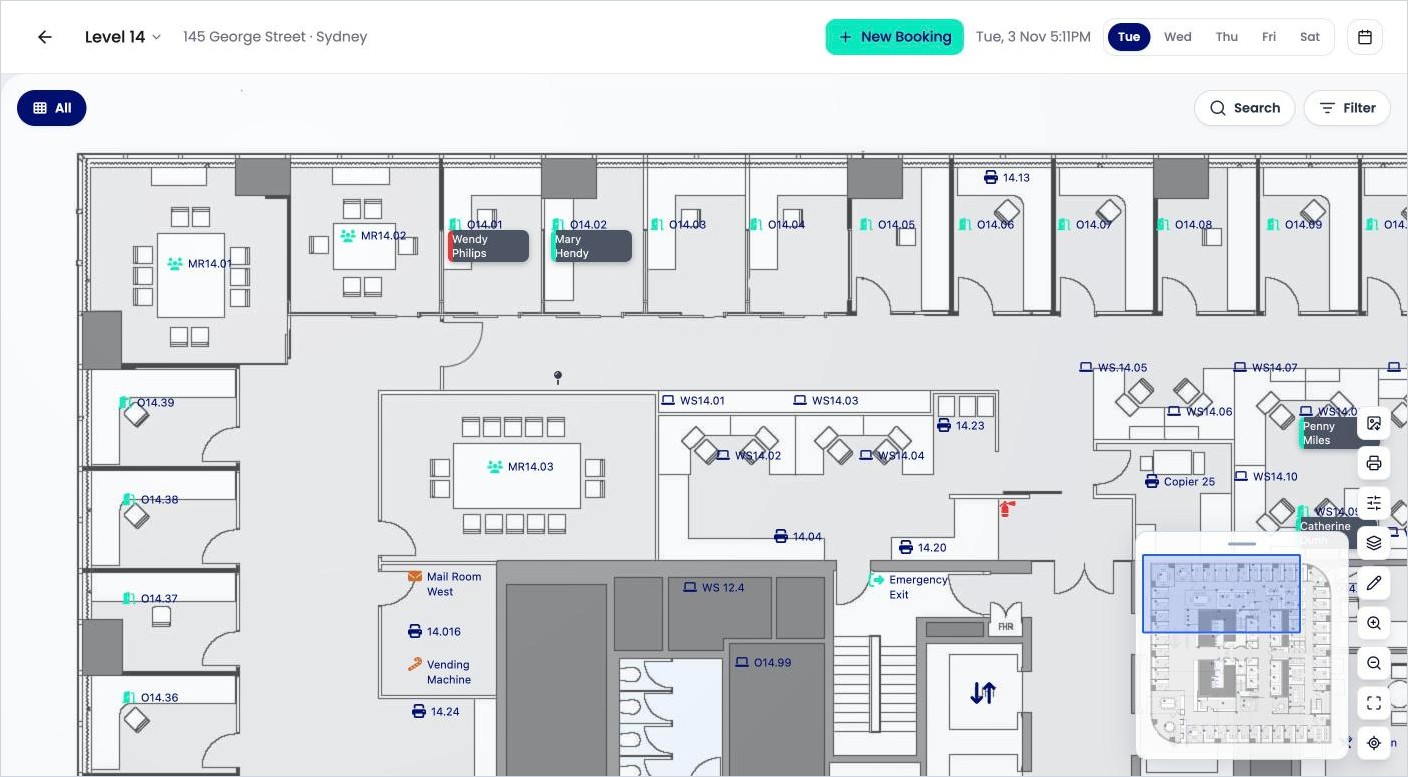
The levels come ready to use. Level 14 in Sydney, for example, has a floorplan with 61 desks, meeting rooms and pins already placed, plus sample photos and information such as building access and parking.
Sample people and teams
There are 16 sample people, such as Catherine Dunn (Marketing Consultant), Jerry Dwyer (Sales Lead) and Jennifer Brown (HR Consultant). Each has a status, a workday plan and contact details, and some have their own desks.
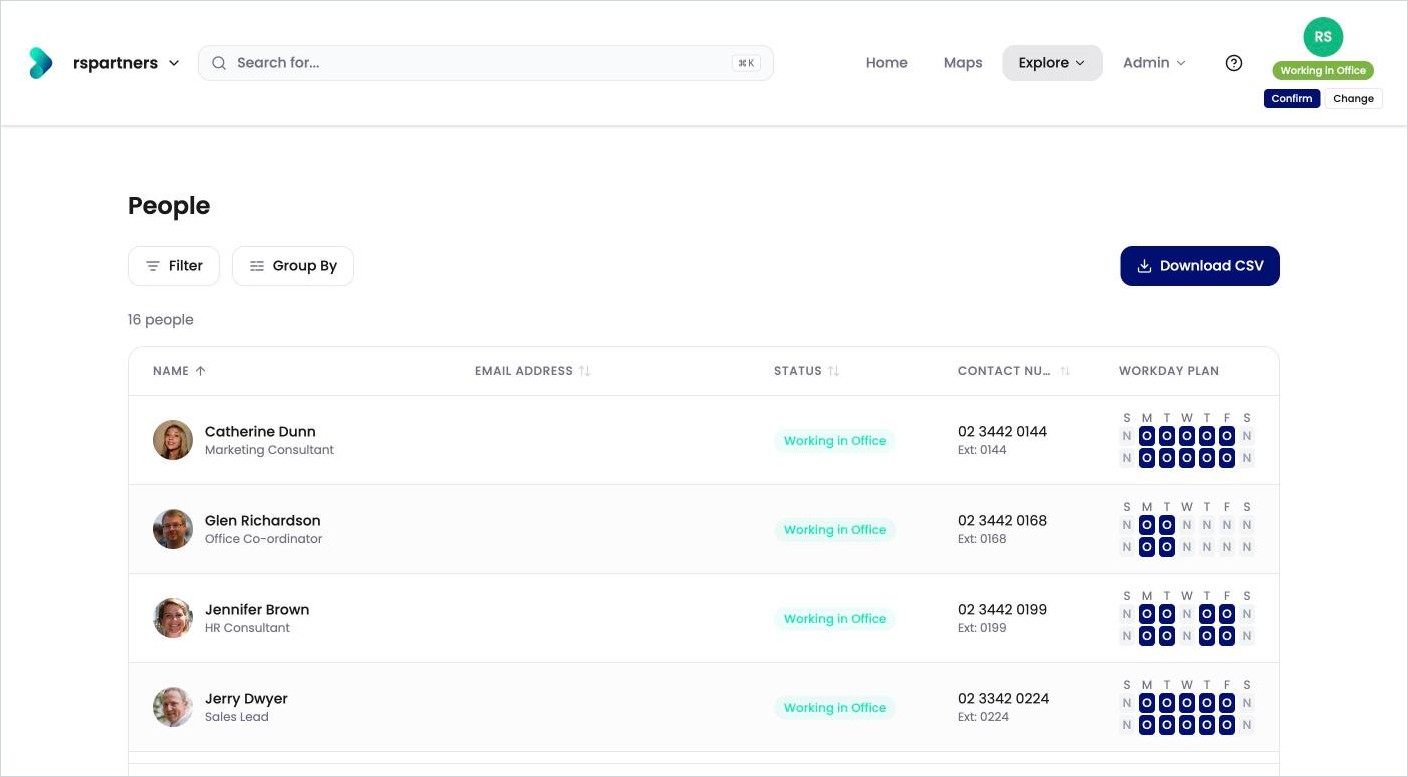
They belong to 7 departments: All Staff, Commercial, Executive, Human Resources, Information Technology, Sales and Social Committee.
Your trial has room for 100 users, so you can add your own colleagues alongside the sample people.
Where to start
-
Take the 15-minute tour. See How do I get started with my trial?
-
Try it as an employee. Search for a colleague, book a desk and set your status (see the Using OfficeMaps articles).
-
Try it as an admin. Add a desk, upload a floorplan and change a booking rule (see the Managing OfficeMaps articles).
-
Make it yours. When you’re ready, swap the sample data for your own. See How do I replace the sample data with my own?
Need help?
Click ? in the top menu bar to open the Help Centre, or see How do I contact OfficeMaps support?