
Need to give someone admin rights, or limit what they can change? This article explains the five roles in OfficeMaps, how to give someone a role, and how to let someone manage only their own department.
The five roles
|
Role |
What they can do |
|---|---|
|
Non User / Disabled |
Can’t log in. Their details are kept for reference, for example after they leave or while they’re on long leave. |
|
Guest |
A limited account that can’t edit its own profile. Used for kiosks and read-only guest links. |
|
User |
The standard role. Can view people, locations, departments and assets, book and check in, and set their own status and profile. |
|
Administrator |
Everything a user can do, plus set up locations, floorplans, departments, assets and people, and change Administration settings. |
|
Instance Administrator |
Everything an administrator can do, plus view and change your subscription and account details. |
Give someone a role
When you add them: choose the Role in the New Person panel.
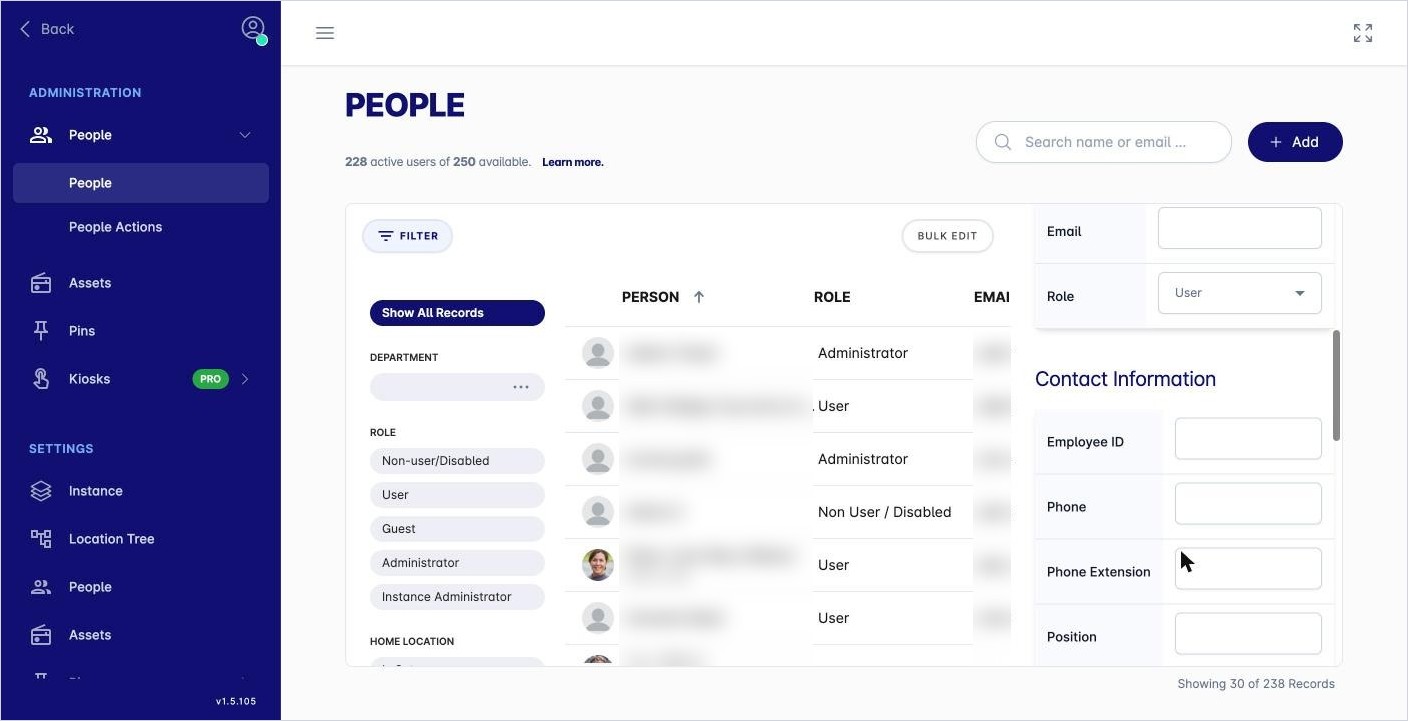
For someone already in OfficeMaps: open their profile, click Edit, change Role and click Save.
For several people at once: in Admin › Administration › People, click Bulk Edit, select the people and choose Change Role to User or Change Role to Non-User/Disabled.
See who has each role
In the People list, click Filter and choose a role, for example Administrator.
Department administrators and managers
These are set on each department, not as a role.
-
Department administrators can manage the people in their department, even if their role is only User. For example, they can check people in their department out of a desk.
-
Managers are shown on the department page so people know who leads the team.
To set them:
-
Click Explore, then Department, and open the department.
-
Click Add Administrator or Add Manager and choose the people.
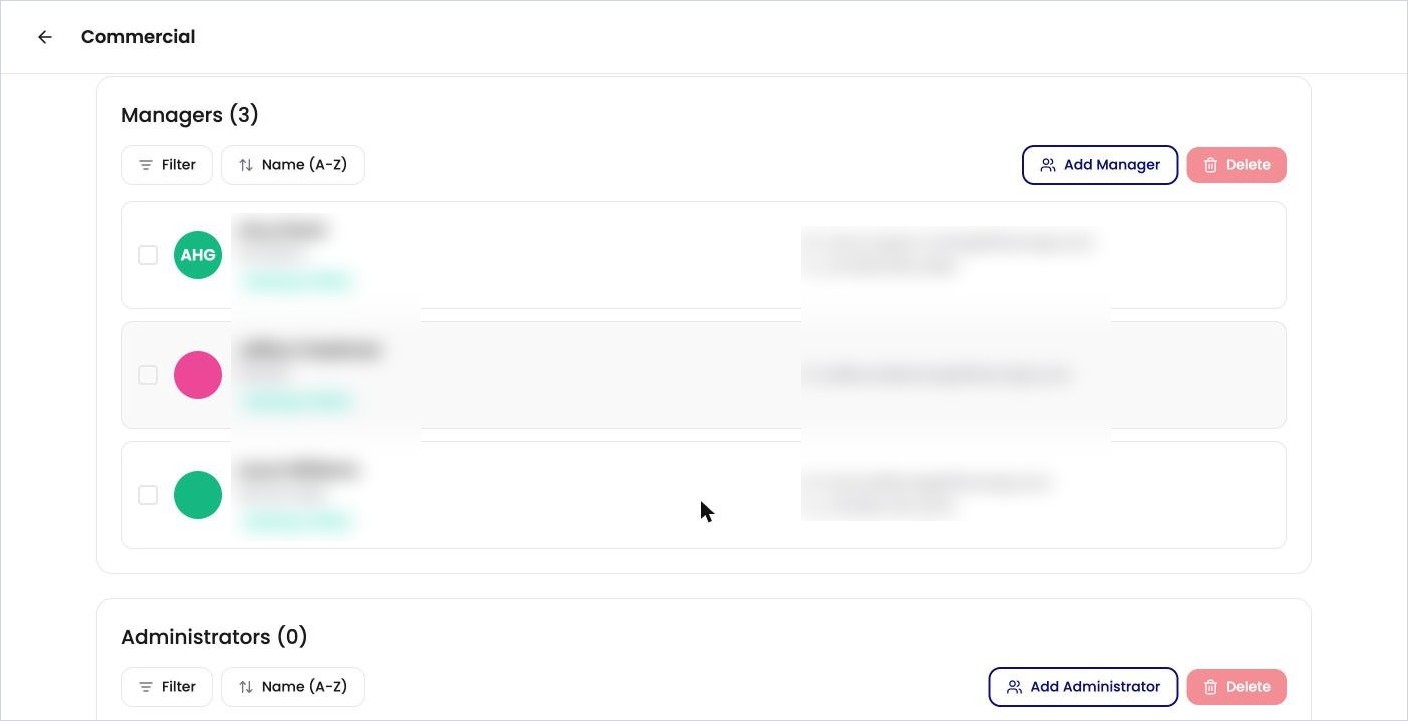
Managers and Administrators on a department page.
See How do I set up departments? for more.
Tips
-
Keep the number of administrators small. They can change settings that affect everyone.
-
Use Non User / Disabled rather than deleting someone if you might need their history later.
-
The top of the People list shows how many active users you have and how many your plan allows.