
Want to update your company name, logo or default time zone? This article shows you where to find the settings for your whole organisation, and how to change the company details.
Note: Only Administrators and Instance Administrators can open Administration.
Open Administration
Click Admin in the top menu bar, then Administration. The menu on the left has two parts.
Administration is for managing your records:
|
Menu item |
What it’s for |
|---|---|
|
People |
Add, edit and delete people, and People Actions for Excel imports, exports and Entra sync. |
|
Assets |
A read-only list of every asset, which you can export to Excel. |
|
Pins |
A read-only list of every pin, which you can export to Excel. |
|
Kiosks (PRO) |
Your kiosks and kiosk profiles. |
Settings is for how OfficeMaps works:
|
Menu item |
What it’s for |
See |
|---|---|---|
|
Instance |
Company name, logo, default time zone and search |
This article |
|
Location Tree |
Which layers the tree uses, and location types |
|
|
People |
How people are added, login, profile fields and defaults |
How do I change how people log in? · How do I choose what shows on people's profiles? |
|
Assets |
Asset types and their extra fields |
|
|
Pins |
Pin types and pin categories |
|
|
Neighbourhood (PRO) |
Your list of neighbourhoods |
|
|
Allocations (PRO) |
Check-in, reservation and neighbourhood rules |
|
|
Working From Status |
The statuses people can choose |
|
|
Integrations |
Microsoft 365 and other connections |
|
|
Guest Access |
Read-only guest links and kiosk tokens |
|
|
API Keys and Webhooks (PRO) |
Connections for developers |
Using the OfficeMaps API |
Settings marked PRO need a Professional plan or higher.
Instance settings
Under Settings, click Instance.
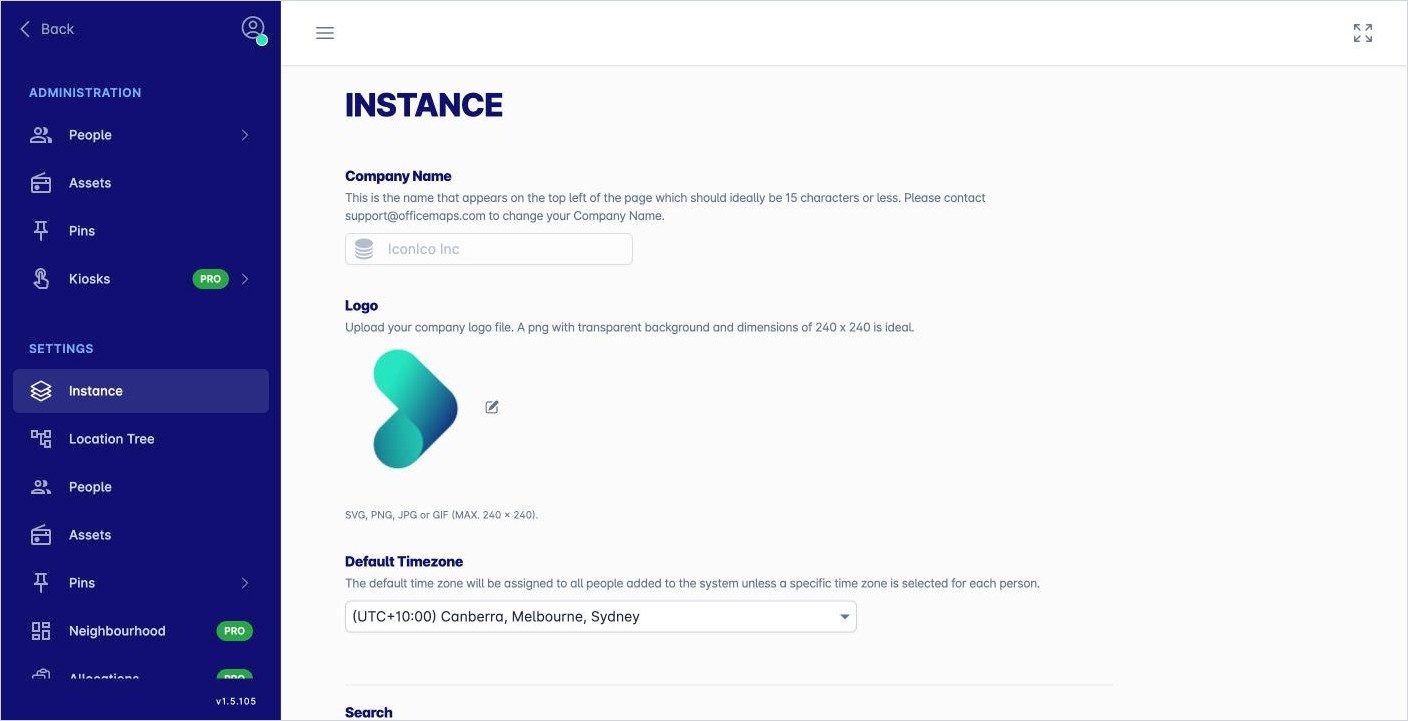
|
Setting |
What it does |
|---|---|
|
Company Name |
The name shown in OfficeMaps. It’s read-only here. To change it, email support@officemaps.com. Keep it to 15 characters or fewer. |
|
Logo |
Your company logo. Click the pencil next to it to upload a new one. Use SVG, PNG, JPG or GIF, up to 240 × 240 pixels. A PNG with a transparent background works best. |
|
Default Timezone |
The time zone given to new people, unless you set a different one for a person. |
|
Search |
Tick Disable automatic Location and Department context filters in Search to stop search narrowing results to the location or department you’re looking at. |
Tips
-
Set the default time zone before you add people, so they start with the right one.
-
To give one person a different time zone, change Time Zone when you add or edit them.